

Copilot Security Explained: Protect Data, Manage Risks & Gain Full Visibility


What Is Copilot Security?
Copilot security is the discipline of controlling and governing how AI copilots access, use, and generate information from enterprise systems. It ensures that copilots operate strictly within existing identity, permission, and data access boundaries, without expanding what users and systems are permitted to see.
Why Copilot Security Matters for Organizations
AI copilots are becoming embedded in everyday workflows, often with access to sensitive enterprise data and identity systems. Without deliberate oversight, this shift can introduce new exposure paths that traditional SaaS security models were not designed to address.
- AI Access to Business-Critical Data: Copilots retrieve information from emails, documents, chats, calendars, and other enterprise data sources, subject to user permissions. When sensitive data is broadly accessible, Copilot can surface it quickly and at scale, increasing the impact of existing overexposure.
- Rapid Copilot Adoption Without Security Review: Copilot features are often enabled as part of broader productivity rollouts, sometimes without dedicated security assessments. This can lead to AI capabilities being activated before organizations fully understand how data access, logging, and oversight apply to AI-driven interactions.
- Expanded Identity and Permission Exposure: Copilot relies on identity-based authorization to retrieve and synthesize information across applications. Over-permissioned users, legacy access grants, and excessive group memberships can unintentionally widen the data surface available to AI.
How Copilot Retrieves and Processes Enterprise Information
Copilot functions as an orchestration layer that connects large language models to enterprise data through Microsoft 365 services. Its responses are grounded in organizational content that the requesting identity is authorized to access.
Microsoft Graph Data Access
Microsoft 365 Copilot retrieves enterprise data through Microsoft Graph, which provides unified access to emails, files, chats, calendars, meetings, and contacts across Microsoft 365. Copilot grounds responses in Graph-accessible content, making Microsoft Graph the primary data plane for retrieving enterprise information. Because Graph enforces existing Microsoft 365 permissions, Copilot operates within the same access boundaries defined for services such as SharePoint, OneDrive, and Teams.
Identity-Based Authorization
Copilot enforces identity-based authorization, meaning the user’s identity and permissions determine what data can be retrieved and referenced. Microsoft states that Copilot only surfaces organizational data that the user is already permitted to view. As a result, Copilot does not introduce new access rights but reflects the tenant’s existing identity and permission posture, increasing the impact of over-permissioned accounts.
Cross-Application Data Retrieval
Copilot can retrieve and correlate data from multiple Microsoft 365 applications within a single prompt, combining content from emails, documents, meetings, and chats into a single response. This behavior relies on existing permissions across each service, connecting authorized data across apps without bypassing application-level access controls.
Context Awareness Across Connected Apps
Beyond content retrieval, Copilot incorporates contextual signals such as active meetings, recent email threads, and chat history to tailor responses to the user’s current activity. This context improves relevance without expanding data access. Copilot interaction history, including prompts and responses, is stored within the Microsoft 365 service boundary and can be governed using Microsoft Purview tools such as content search and retention policies. When agents or connectors are used, access remains constrained by admin configuration and user permissions.
Key Security Threats Facing Copilot
Copilot’s ability to synthesize and surface information at scale introduces distinct security risks. These risks do not stem from Copilot bypassing controls, but from how AI amplifies existing access, identity, and visibility gaps across the environment.
How to Detect and Monitor Copilot Security Risks
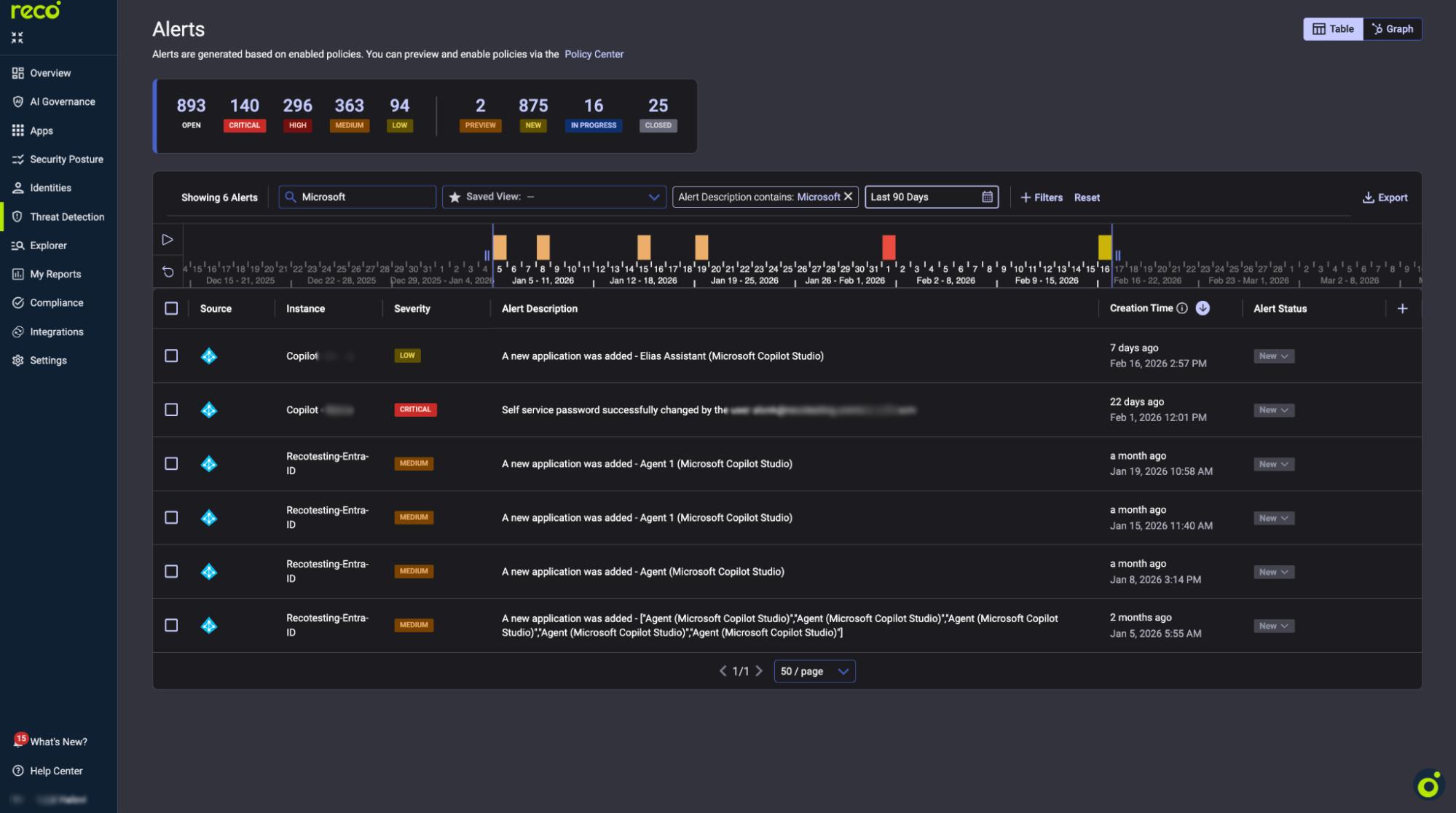
As Copilot usage expands, security teams need visibility into how AI-driven interactions affect data access and identity exposure. Effective detection focuses on understanding usage patterns and identifying behavior that deviates from expected norms.
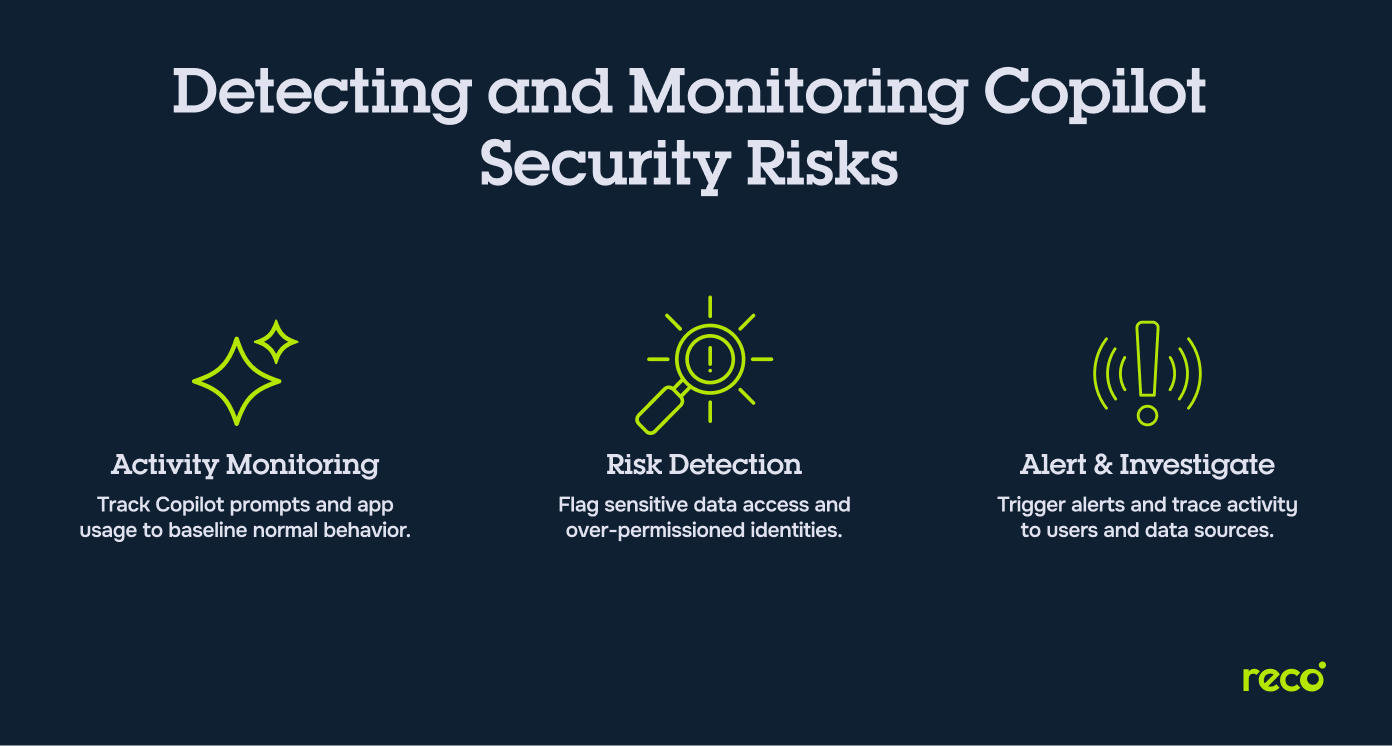
- Continuous Copilot Activity Monitoring: Monitoring tracks when and how Copilot is used across the tenant, including prompt activity, response generation, and the applications involved. This helps establish baselines and highlight unusual usage patterns.
- Detecting Risky AI-Driven Behavior: Risk detection focuses on behaviors such as repeated prompting against sensitive data, unusual cross-application synthesis, or Copilot use by over-permissioned or high-risk identities.
- Alerting and Investigation Workflows: Effective monitoring includes alerting on anomalous activity and investigation workflows that link AI-driven interactions back to the underlying user, permissions, and data sources to support a timely response.
Native Microsoft Copilot Security Controls
Microsoft provides native security and compliance mechanisms that govern how Copilot operates within Microsoft 365. These controls rely on existing identity, data protection, and compliance frameworks rather than Copilot-specific enforcement layers.
- Built-In Permission Management: Copilot inherits the Microsoft 365 permission model and enforces identity-based access controls across services such as SharePoint, OneDrive, Exchange, and Teams. It only surfaces data that a user is already authorized to access, based on roles, group memberships, and resource-level permissions defined in the tenant.
- Microsoft Purview Capabilities: Microsoft Purview applies governance and compliance controls to Copilot interactions, including content search, eDiscovery, sensitivity labels, and data loss prevention. Copilot prompts and responses are stored within the Microsoft 365 service boundary and can be subject to Purview-based oversight.
- Compliance and Retention Policies: Copilot interaction data, including prompts and responses, can be governed using Microsoft 365 retention and compliance policies. These controls allow organizations to define how Copilot data is retained, searched, or deleted to meet regulatory and internal requirements.
- Limitations of Native Controls: Native controls enforce access and compliance at the identity and data layer but provide limited visibility into Copilot-specific behavior patterns, AI-driven data synthesis, and cross-application usage at scale. This can make it difficult to gain centralized insight into how Copilot is used across users and services.

Gal Nakash
Cofounder & CPO at Reco

Gal is the Cofounder & CPO of Reco. Gal is a former Lieutenant Colonel in the Israeli Prime Minister's Office. He is a tech enthusiast, with a background of Security Researcher and Hacker. Gal has led teams in multiple cybersecurity areas with an expertise in the human element.

Expert Tip: Treat Copilot as an Identity Multiplier, Not a Standalone Tool
In real-world Copilot deployments, the biggest security gaps rarely come from the AI itself. They come from identities and permissions that were already too broad before Copilot entered the picture. Copilot simply makes those gaps visible faster and at scale. From experience, these steps make the biggest difference:
- Audit Effective Access, Not Assigned Roles: Focus on what users can actually see across apps and groups, not just their primary role.
- Review OAuth Grants Regularly: Long-lived OAuth permissions and unused integrations quietly expand Copilot’s reachable data surface.
- Track High-Risk Identities First: Privileged users, service accounts, and shared identities should be monitored more closely when Copilot is enabled.
- Log AI Usage Contextually: Knowing who used Copilot is not enough. You need to know where and against which data.
Takeaway: Strong Copilot security starts with disciplined identity and SaaS hygiene. Fix that foundation, and AI becomes far easier to govern.
Copilot’s Impact on Privacy and Regulatory Obligations
Copilot changes how users retrieve, summarize, and reuse organizational information, which can affect privacy and compliance obligations even when permissions remain unchanged. The regulatory impact centers on how AI-mediated access, interaction records, and extensibility are governed within the tenant.
GDPR Considerations
From a GDPR perspective, Copilot intersects with principles such as access control, purpose limitation, and accountability because it can surface personal data already stored across emails, chats, and documents. Microsoft states that Copilot only surfaces data users are authorized to access and that prompts, responses, and accessed content are not used to train foundation models.
Copilot also generates interaction records, including prompts and responses, which are stored within the Microsoft 365 service boundary. These records can be governed using existing compliance and retention tooling, requiring organizations to ensure Copilot interaction data is covered by their retention, discovery, and access policies in line with GDPR requirements.
HIPAA and Industry-Specific Regulations
For HIPAA and other industry regulations, Copilot’s impact relates to its ability to process regulated content that users can already access within Microsoft 365. Copilot interaction data remains subject to the same enterprise security and compliance commitments that apply to other Microsoft 365 workloads, including certifications relevant to regulated environments.
In practice, regulated organizations often require tighter controls around data classification, access management, and retention. Microsoft positions existing governance mechanisms, such as information protection and retention policies, as the primary tools for managing these obligations when Copilot is enabled.
Data Residency and Sovereignty
Data residency and sovereignty considerations involve both where Copilot interaction data is stored and how AI processing is handled across regions. Microsoft states that Microsoft 365 Copilot upholds data residency commitments under its product terms and is included as a covered workload. For EU users, additional safeguards apply under the EU Data Boundary, while model processing may use other regions during periods of high demand.
For organizations with strict sovereignty requirements, the compliance focus is on validating how Copilot usage aligns with regional processing commitments, understanding which capabilities apply to their tenant and geography, and ensuring retention and discovery policies meet jurisdiction-specific requirements.
Best Practices for Strengthening Copilot Security
Strengthening Copilot security requires applying existing security fundamentals to AI-driven workflows, while accounting for how Copilot amplifies identity, data access, and integration risks. The practices below focus on governance, visibility, and accountability rather than introducing new control layers:
How Reco Strengthens Copilot Security in the Age of AI Sprawl
As Copilot expands AI-driven access across SaaS environments, security teams need visibility and control that go beyond native platform boundaries. Reco addresses Copilot security by focusing on identity exposure, SaaS sprawl, and continuous risk detection across connected applications.
- Full Visibility Into Copilot-Related SaaS Activity: Reco provides centralized visibility into SaaS usage patterns that intersect with Copilot-enabled workflows, helping security teams understand which applications, users, and data sources are involved when AI-driven interactions occur. This insight builds on Reco’s broader approach to SaaS posture management and compliance across enterprise environments.
- Identity and Permission Risk Detection: By continuously analyzing effective permissions across identities, groups, and roles, Reco helps teams identify over-permissioned users and risky access paths that Copilot can amplify. This capability aligns closely with Reco’s identity and access governance model, which focuses on reducing unintended exposure before it surfaces through AI-driven workflows.
- OAuth App and Integration Monitoring: Copilot environments often rely on OAuth-based integrations and delegated access. Reco monitors OAuth grants, third-party applications, and integration changes using its identity threat detection and response capabilities, helping security teams spot excessive scopes and risky integrations that expand the AI-accessible data surface.
- Shadow AI and Unsanctioned SaaS Discovery: In parallel with Copilot adoption, teams often see the rise of unsanctioned AI tools and shadow SaaS usage. Reco addresses this by continuously identifying unapproved applications and integrations through its application discovery capabilities, restoring visibility into AI-driven sprawl beyond officially enabled platforms.
- Continuous SaaS Security Posture Management: Copilot security depends on the underlying health of the SaaS environment. Reco continuously assesses configurations, access patterns, and integration risks as part of its data exposure management approach, helping reduce latent exposure that AI-driven access can surface at scale.
Conclusion
Copilot reshapes enterprise security by changing how quickly users can access, combine, and reuse information across systems. AI-driven workflows increase the speed and scale at which existing identity, permission, and visibility gaps surface, raising the stakes for governance and oversight.
As Copilot adoption grows, security teams need to understand how AI activity interacts with SaaS access, integrations, and data exposure across the environment. Organizations that invest in disciplined access management, continuous visibility, and clear accountability are better equipped to manage this shift. When Copilot security is treated as part of a broader SaaS and identity strategy, AI can be enabled confidently without creating blind spots that undermine security or compliance goals.
How is Copilot security different from traditional SaaS security models?
Copilot security focuses on how AI-driven interactions change the way data is accessed and combined, rather than introducing a new application with its own permissions.
- AI can synthesize information across multiple apps in a single interaction
- Existing permission gaps become more impactful due to speed and scale
- Visibility challenges shift from individual app actions to cross-app AI usage
What types of sensitive data can Copilot expose if permissions are misconfigured?
Copilot can surface any data a user is already authorized to access, including sensitive or regulated information, when prompted to summarize or analyze content.
- Emails, chat messages, and meeting transcripts
- Documents containing financial, legal, or HR data
- Files labeled as sensitive but broadly accessible
The risk depends on existing access policies rather than Copilot creating new access paths.
Does Copilot introduce new identity and OAuth risks for security teams?
Copilot does not change identity or OAuth models, but it can amplify their impact.
- Over-permissioned users gain faster insight into broadly accessible data
- OAuth-connected apps and agents expand the data Copilot can reference
- Legacy or unused integrations increase exposure without obvious signals
This makes identity and integration hygiene more critical in Copilot-enabled environments.
How can Reco help identify Copilot-related identity and permission risks?
Reco helps security teams uncover identity exposure and permission risks that Copilot can amplify across SaaS environments.
- Analyzes effective permissions across users, groups, and roles
- Identifies over-permissioned and high-risk identities
- Highlights access paths that increase AI-driven data exposure
For deeper insight, see Reco’s approach to identity and access governance.
Can Reco detect unsanctioned Copilot usage and shadow AI integrations?
Reco helps organizations regain visibility into AI and SaaS sprawl that extends beyond officially approved tools.
- Discovers unsanctioned SaaS and AI-enabled applications
- Monitors OAuth grants and third-party integrations
- Surfaces shadow usage that may interact with Copilot workflows
Learn more about Reco’s capabilities in application discovery.
Tal Shapira


%201.svg)
ABOUT THE AUTHOR
Tal is the Cofounder & CTO of Reco. Tal has a Ph.D. from the school of Electrical Engineering at Tel Aviv University, where his research focused on deep learning, computer networks, and cybersecurity. Tal is a graduate of the Talpiot Excellence Program, and a former head of a cybersecurity R&D group within the Israeli Prime Minister's Office. In addition to serving as the CTO, Tal is a member of the AI Controls Security Working Group with the Cloud Security Alliance.