

CIS Microsoft 365 Benchmark v6 Guide: How to Apply It and Prevent Configuration Drift


Microsoft 365 security is less about a single feature and more about thousands of configuration decisions across identity, email, files, and collaboration services. As environments grow and evolve, misconfigurations become one of the most common sources of risk. The CIS Microsoft 365 Benchmark offers consensus-based guidance to help organizations implement secure, consistent configurations across their Microsoft 365 tenants. Version 6 reflects today’s cloud-first, identity-driven reality and aligns with how modern Microsoft 365 environments are deployed, managed, and secured.
What Is the CIS Microsoft 365 Benchmark
The CIS Microsoft 365 Benchmark translates security best practices into concrete tenant settings across core Microsoft 365 services. It helps teams standardize hardening decisions across identity, email, collaboration, and data sharing.
Purpose of the CIS Microsoft 365 Benchmark
The CIS Microsoft 365 Benchmark defines recommended security configurations for Microsoft 365 services, including identity, email, file sharing, and collaboration tools. Its purpose is to help organizations establish a secure baseline that reduces exposure caused by misconfigurations and inconsistent settings. Rather than focusing on regulatory compliance, the benchmark emphasizes practical and testable controls that security teams can validate and monitor over time.
Who Develops and Maintains the Benchmark
The benchmark is developed and maintained by the Center for Internet Security, a nonprofit organization responsible for widely adopted security standards across cloud and on-prem environments. CIS benchmarks are developed through a consensus-driven process that involves cybersecurity practitioners, technology vendors, and subject matter experts. This approach ensures the guidance reflects real-world deployment patterns, evolving threats, and current security best practices.
How Organizations Should Use CIS Benchmarks
CIS Microsoft 365 Benchmark should be used as a foundation for hardening tenant configurations, assessing security posture, and supporting internal or external audits. The benchmark helps teams evaluate existing settings, identify gaps, and standardize security controls across users and services. Many security teams also rely on it as a reference point for continuous monitoring, policy validation, and alignment with broader security and governance programs.
What’s New in CIS Microsoft 365 Benchmark v6
Version 6 refreshes the benchmark to better reflect how Microsoft 365 environments are secured and operated today. It aligns more closely with SaaS-first and identity-driven architectures, placing greater emphasis on access governance, configuration consistency, and the realities of collaboration-heavy tenants. The update also improves how organizations validate and maintain secure configurations as environments grow more complex and dynamic.
- Expanded coverage across Microsoft 365 services to better reflect real-world tenant configurations.
- Greater emphasis on identity and access controls as the foundation of Microsoft 365 security.
- Updated guidance for cloud-first and collaboration-heavy environments, where external sharing and cross-tenant work are common.
- Clearer direction for validating configuration settings and identifying gaps, supporting more consistent assessments.
- Refined alignment with current security and governance practices so controls map more cleanly to how teams operate and audit Microsoft 365 today.
Core Security Domains Covered in CIS Microsoft 365 v6
CIS Microsoft 365 Benchmark v6 organizes its guidance around the Microsoft 365 services and control areas that most directly affect tenant security and data exposure.
- Identity and Access Management: This domain focuses on how users and administrators authenticate, how access is granted, and how privilege is controlled over time. It covers authentication requirements, role-based access, and controls designed to limit excessive or unauthorized access.
- Exchange Online Security: This domain addresses email security and visibility, including controls related to mail flow protection, auditing, and configuration settings that help reduce phishing and unauthorized mailbox activity.
- SharePoint and OneDrive Controls: This area focuses on file access and sharing behavior, with guidance aimed at limiting oversharing, managing external access, and reducing unintended data exposure through collaboration features.
- Microsoft Teams Security: This domain covers collaboration governance, including guest access, external communication, and application permissions that affect how Teams is used across and outside the organization.
- Logging, Monitoring, and Audit Readiness: This domain focuses on maintaining visibility into tenant activity, supporting audit requirements, and ensuring configuration changes and access events can be monitored and reviewed effectively.
How These Domains Map to CIS Microsoft 365 v6 Services
Building on the services highlighted above, here is how the CIS v6 domains map to the primary in-scope Microsoft 365 services.
Why CIS Microsoft 365 Benchmark Alignment Matters
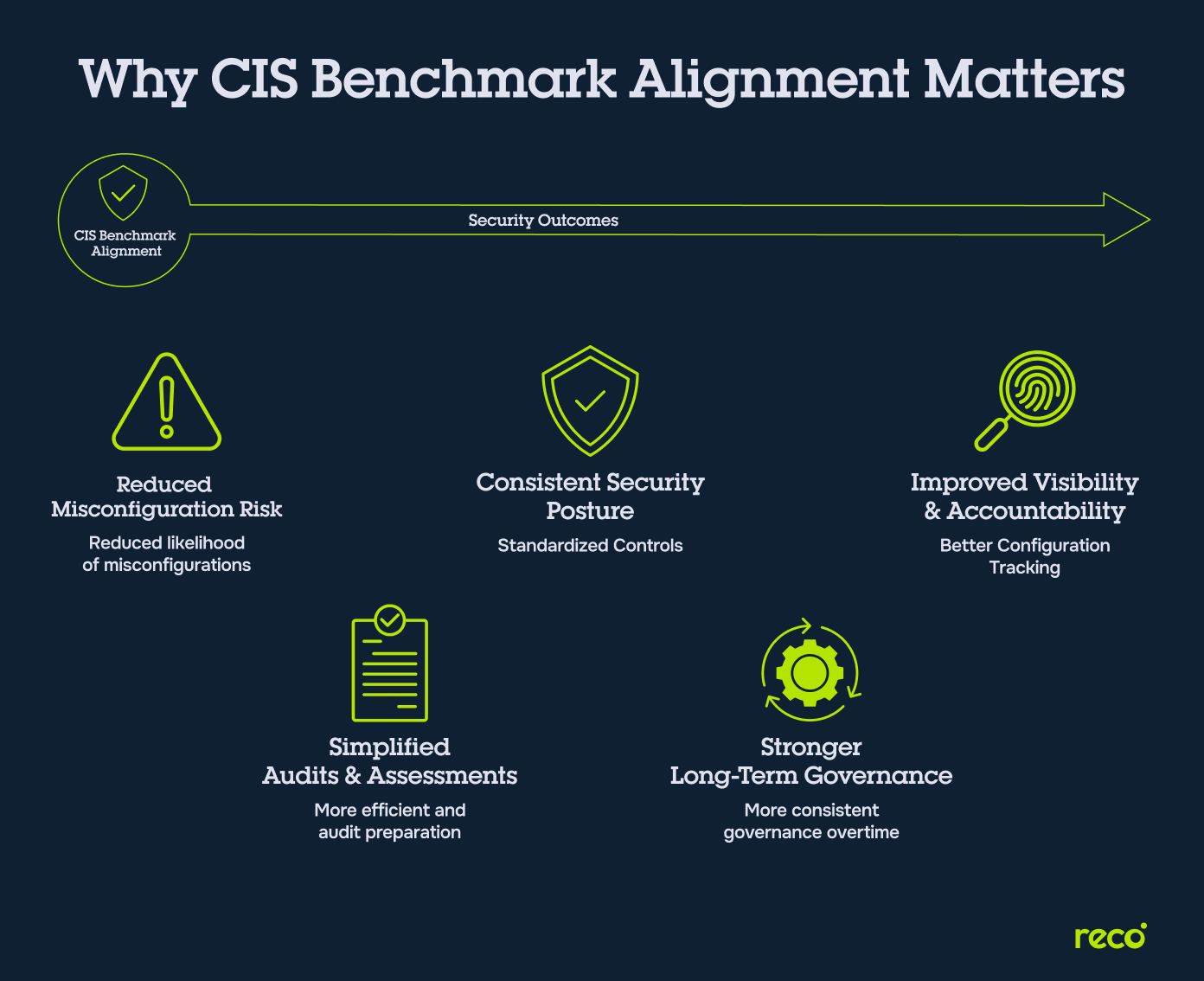
Aligning Microsoft 365 environments with the CIS Benchmark helps organizations move from inconsistent, ad hoc security settings to a structured and repeatable baseline. It reduces the likelihood of misconfigurations, improves consistency across services, and gives security teams a clear reference point for evaluating changes over time. Just as importantly, alignment simplifies audits and security reviews by mapping real configuration states to recognized best practices, making it easier to identify gaps and prioritize remediation as environments evolve.
The graphic below illustrates the practical outcomes teams typically gain from CIS alignment.
Common Challenges When Implementing CIS Microsoft 365 v6
CIS guidance is clear, but applying it across a live Microsoft 365 tenant takes ongoing effort. Most challenges come from operational overhead, constant change, and visibility gaps.
- Manual Configuration and Validation Overhead: Many CIS controls require hands-on review across multiple Microsoft 365 admin portals, making validation time-consuming and error-prone.
- Configuration Drift Over Time: Settings often change as new features are enabled, policies are adjusted, or administrators make updates, causing environments to drift away from the benchmark.
- Limited Visibility Across Users and Permissions: Tracking who has access to what, especially in large tenants, becomes difficult without centralized visibility into roles, permissions, and sharing behavior.
- Difficulty Maintaining Continuous Alignment: CIS alignment is often treated as a one-time effort rather than an ongoing process, leading to gaps as environments evolve.
- Resource Constraints in Large Environments: Larger Microsoft 365 tenants require more effort to monitor and maintain, and security teams often lack the time or tooling to keep pace with changes.
How Security Teams Operationalize CIS Benchmarks
Teams get the most value from CIS when they treat it as an ongoing operating model, not a one-time project. Operationalization usually comes down to monitoring, change visibility, ownership, and disciplined exception handling.
With these challenges in mind, many organizations look for ways to operationalize CIS guidance without relying solely on manual processes. The next section outlines how Reco can support that effort in Microsoft 365 environments.

Gal Nakash
Cofounder & CPO at Reco

Gal is the Cofounder & CPO of Reco. Gal is a former Lieutenant Colonel in the Israeli Prime Minister's Office. He is a tech enthusiast, with a background of Security Researcher and Hacker. Gal has led teams in multiple cybersecurity areas with an expertise in the human element.

Expert Insight: Turning CIS Benchmarks Into a Living Security Program
In practice, CIS benchmarks work best when treated as a living reference rather than a one-time compliance exercise. In Microsoft 365 tenant reviews I’ve worked on, the biggest gaps rarely came from missing tools. They came from small configuration changes that accumulated over weeks and months. Many teams struggle because they assess configurations once, document the results, and move on. What works in real environments:
- Start with high-impact controls like identity, admin roles, and external access before expanding coverage
- Track configuration changes continuously, not just during audits
- Assign ownership per control area so identity, email, and collaboration settings don’t fall between teams
- Review exceptions regularly instead of letting them become permanent gaps
Key Takeaway: The most effective teams treat CIS alignment as an ongoing operational process; one that evolves alongside Microsoft 365 rather than trying to lock it down once and hope it stays secure.
How Reco Supports CIS Microsoft 365 Alignment
While CIS provides the framework for securing Microsoft 365, applying and maintaining that guidance in a live environment requires visibility and continuous oversight. Reco supports this process by helping security teams monitor configuration changes, surface risk, and maintain alignment with CIS recommendations over time.
- Unified Visibility Across Microsoft 365 Services: Reco provides centralized visibility into activity across Microsoft 365, helping teams understand how identity, access, and configuration settings align with CIS guidance.
- Continuous Monitoring of Identity and Access Changes: By tracking changes to users, roles, and permissions, Reco helps teams stay aware of access-related activity that can affect CIS alignment.
- Detection of Misconfigurations Aligned with CIS Controls: Reco automates the assessment of all 140 CIS v6 controls, providing real-time drift detection that alerts teams the moment a configuration deviates from the v6 baseline.
- Contextual Risk Insights Across Users and Applications: Reco provides context around how users and apps interact with data and permissions, enabling security teams to prioritize issues that may impact their overall security posture.
- Drift Detection vs. Point-in-Time: CIS v6 defines the recommended configuration baseline, but maintaining alignment requires ongoing monitoring as tenants change. Reco helps teams detect configuration drift quickly and continuously, so CIS controls stay operational over time instead of being revisited only during periodic assessments.
Conclusion
The CIS Microsoft 365 Benchmark v6 provides a practical framework for reducing risk in increasingly complex cloud environments. However, its real value lies in its consistent application over time. As Microsoft 365 continues to evolve, security teams need more than one-time assessments. They need clear visibility, repeatable processes, and the ability to detect drift before it becomes exposure. By treating CIS alignment as an ongoing discipline rather than a checklist, organizations can maintain a stronger security posture, simplify audits, and adapt more confidently as identity, collaboration, and access models continue to change.
What is the CIS Microsoft 365 Benchmark used for?
Organizations use the CIS Microsoft 365 Benchmark as a practical reference for securing Microsoft 365 tenant settings. Common use cases include:
- Establishing a consistent security baseline across Microsoft 365 services
- Identifying misconfigurations and configuration gaps during reviews
- Supporting internal security assessments and audit preparation
- Standardizing hardening decisions across teams and tenants
- Informing ongoing monitoring and configuration governance
Is CIS Microsoft 365 Benchmark v6 mandatory?
No. The CIS Microsoft 365 Benchmark is not a regulatory requirement. It is a voluntary set of best-practice recommendations developed to help organizations strengthen their security posture. Many teams adopt it as a baseline because it aligns well with common security frameworks and audit expectations, but implementation is ultimately discretionary.
Does CIS cover all Microsoft 365 security risks?
No. While the CIS Benchmark addresses many high-impact configuration risks, it does not cover every possible threat. It focuses primarily on secure configuration, identity controls, and service-level settings. Risks related to user behavior, third-party applications, and evolving attack techniques still require additional monitoring and security controls beyond the benchmark.
How does Reco support CIS Microsoft 365 Benchmark alignment?
Reco helps teams maintain alignment with CIS guidance by improving visibility and reducing manual effort. Specifically, it supports alignment by:
- Monitoring identity and access changes across Microsoft 365
- Highlighting risky or non-standard configurations tied to CIS controls
- Providing visibility into how users, apps, and permissions evolve over time
- Helping teams prioritize issues that could weaken security posture
This allows security teams to focus on continuous alignment rather than one-time reviews.
What Microsoft 365 changes should teams monitor most closely?
Some configuration changes have a much higher impact on security posture than others. Teams should pay close attention to:
- Changes to admin roles and privileged access
- New or modified third-party app permissions
- External sharing and collaboration settings
- Authentication and identity policy changes
- Adjustments to audit logging or monitoring settings
Tracking these areas helps prevent configuration drift and reduces the risk of unnoticed exposure.
Tal Shapira


%201.svg)
ABOUT THE AUTHOR
Tal is the Cofounder & CTO of Reco. Tal has a Ph.D. from the school of Electrical Engineering at Tel Aviv University, where his research focused on deep learning, computer networks, and cybersecurity. Tal is a graduate of the Talpiot Excellence Program, and a former head of a cybersecurity R&D group within the Israeli Prime Minister's Office. In addition to serving as the CTO, Tal is a member of the AI Controls Security Working Group with the Cloud Security Alliance.