

Windsurf Security Explained: Benefits, Best Practices & Tools

What Is Windsurf Security?
Windsurf security is the set of protections that control how the platform handles code, model traffic, developer context, and agent activity across its features. It brings together secure deployment options, strict data retention rules, controlled model routing, and regular updates to its underlying components, allowing teams to use AI-assisted development within sensitive or regulated engineering environments.
Windsurf Security vs. AI IDE Security
Windsurf takes a different approach to security compared with generic AI IDEs. The table shows how their models, data flows, deployment choices, and enterprise controls diverge in practice:
Why Windsurf Security Matters
AI-driven workflows reshape how code and context move across teams, making Windsurf security an important part of protecting both developer machines and the delivery pipeline. More specific:
How AI Coding Changes Threat Dynamics
AI coding introduces new input channels that traditional editors never processed. Generated code, prompts, and model-driven actions can become vectors for manipulation. Malicious examples, poisoned snippets, or crafted content can influence behavior inside the editor or its embedded components, which increases the need for controlled and observable interactions.
Impact on Developer and CI Environments
AI-driven workflows move more context between the editor, the local machine, and the model backend. Developer machines often hold production access, cloud credentials, and sensitive repositories. Any compromise at this layer can influence build systems and automated pipelines that assume developer output is safe. A single breach can reach the CI environment and affect multiple projects.
Exposure of Secrets and Internal Code
Windsurf sends selected code snippets and context to generate responses and perform agent steps. Even with strict data retention rules, sensitive values can still appear in prompts if they exist in configuration files or local repositories. This requires careful management of secrets and an understanding of how information moves through model interactions.
Expansion of the Attack Surface
AI-powered IDEs include complex components such as Chromium, V8, and Electron. Any delay in updating these components introduces known issues into the editor environment. Since developers read documentation, open links, install extensions, and preview repository files inside the editor, the number of potential entry points increases significantly.
Increased Risk of Automated Actions
Agent features can interpret code, update files, inspect directories, and suggest commands in rapid sequence. If an agent receives manipulated input, it may attempt actions that influence the codebase or the local machine. Windsurf uses human approval for commands with impact, but multi-step behavior still raises the importance of clear guardrails and monitoring.
Components of Windsurf Security
Windsurf uses layered controls across the editor, plugins, and agent workflows. These layers define operational boundaries and help maintain a safe development environment.
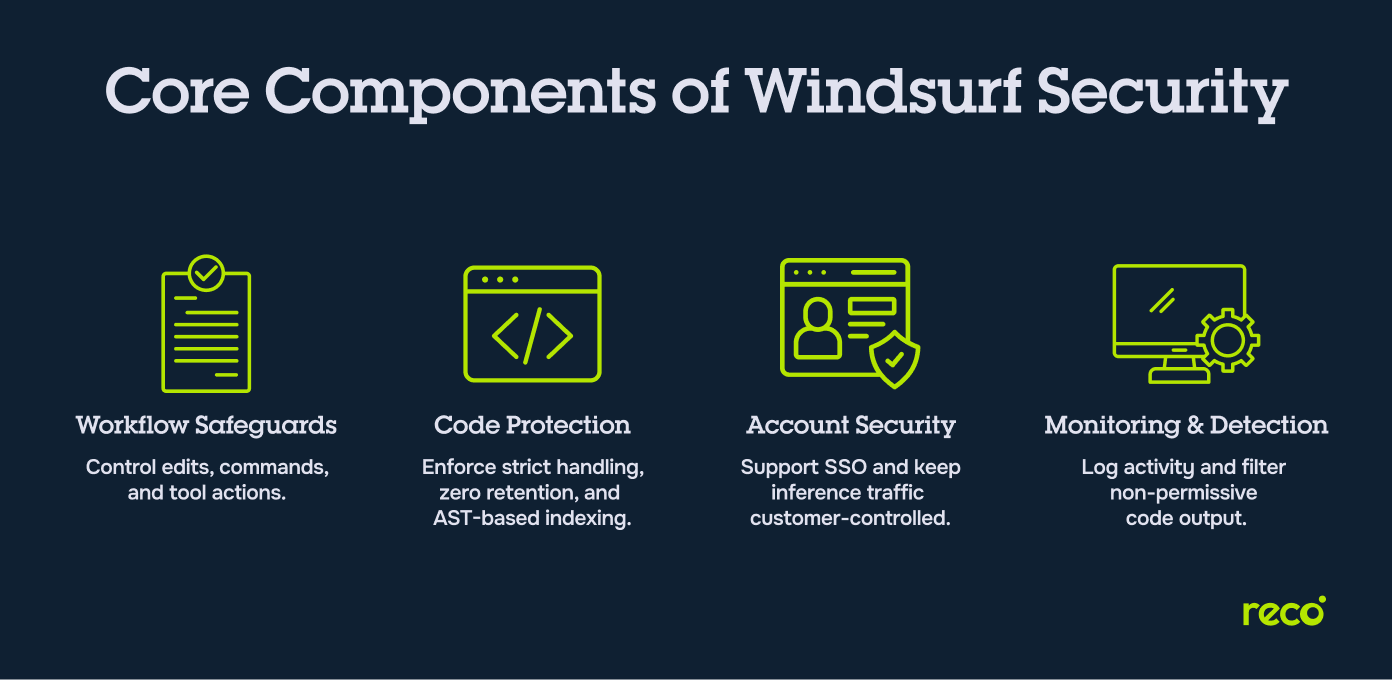
1. Workflow and Tooling Safeguards
These safeguards shape how editor features and agent actions interact with the local environment. They manage file edits, command suggestions, tool use, and the boundaries that separate high-impact actions from routine behavior. By controlling how tools operate inside the editor surface, they help prevent unintended changes to project code or system resources.
2. Secret and Code Protection Controls
Windsurf uses strict rules for handling code snippets, model inputs, and stored information from the developer environment. Zero data retention is the default for team and enterprise tiers, and features that store code artifacts require explicit opt-in. Local and remote indexing rely on abstract syntax trees, which limit unnecessary exposure of code content and keep sensitive information within controlled boundaries.
3. Account and Credential Security
Enterprise deployments support SSO through identity providers such as Entra, Okta, and Google Workspace. This keeps access aligned with organizational identity policies and reduces the risk of uncontrolled account usage. Hybrid and self-hosted tiers also allow all inference traffic to remain inside customer-owned environments, which further protects organizational accounts and credentials.
4. Monitoring and Detection Systems
Enterprise tiers include audit logs that record accepted AI suggestions and chat interactions. These logs allow security teams to track changes, review agent behavior, and investigate potential issues. Attribution filtering prevents output that resembles non-permissively licensed code from appearing in completions, which adds another form of oversight for development teams.
Benefits of Strong Windsurf Security
Strong Windsurf security supports both the pace and safety of engineering work. Its controls influence everything from daily development to code review and broader organizational risk management.
- Improved Engineering Productivity: Strong security controls reduce the number of interruptions caused by unsafe suggestions, agent mistakes, or unexpected data exposure. Developers can work faster because they operate in an environment where model behavior, data flows, and tool actions follow predictable and enforced rules.
- Better Code Quality and Review Safety: Attribution filtering, audit visibility, and guarded agent actions help prevent low quality or unlicensed code from entering the codebase. Reviewers can trust that AI output has passed through checks that limit unsafe edits and reduce the chance of hidden issues.
- Lower Risks From AI Agents: Clear boundaries on agent steps, human approval for high-impact commands, and control of context inputs keep multi-step behavior predictable. These safeguards lower the chance that an agent will perform unintended operations inside the project or on the local machine.
- Stronger Compliance Alignment: Zero data retention by default, audit logs for enterprise environments, and support for trusted model routing help organizations meet internal and external compliance requirements. These protections allow teams to adopt AI coding assistance while staying aligned with regulatory expectations.
- Reduced Exposure Across Multi-Environment Setups: Cloud, hybrid, and self-hosted options let organizations decide where code and model traffic should live. This reduces exposure across development, staging, and production environments and keeps sensitive assets within the boundaries set by internal policies.
Key Security Risks When Using Windsurf
Windsurf creates specific security concerns tied to its code, model, and agent workflows. The table defines the key risk areas:
Best Practices for Securing Windsurf
Effective Windsurf security comes from disciplined development habits. The following practices support a safer workflow.
1. Implementing Least Privilege Controls
Limit repository access, model routing permissions, and project visibility so that Windsurf only receives the information it needs for each task. This reduces unnecessary exposure of code and minimizes the effect of any compromised action inside the editor.
2. Securing Secrets and Environment Variables
Remove secrets from project files and store them in dedicated secret managers. Avoid keeping sensitive values in local configuration files that might be pulled into model context or agent steps. This prevents the accidental appearance of secrets in prompts or inference requests.
3. Hardening Developer Machines
Keep workstation operating systems, IDE components, and security tools up to date. Developer machines often hold privileged access, which means any weakness can influence builds, deployments, or linked cloud services. A hardened workstation reduces the chance of broader impact.
4. Validating AI-Generated Code
Review generated edits with the same attention given to contributions from any team member. Check logic, dependencies, and security implications before accepting changes. This prevents flawed or unsafe code from entering the codebase through model suggestions.
5. Monitoring High Risk Agent Behaviors
Track agent steps that read files, modify content, or prepare commands. Windsurf requires user approval for impactful actions, and security teams can reinforce this by watching for patterns that show unusual or unexpected behavior.

Gal Nakash
Cofounder & CPO at Reco

Gal is the Cofounder & CPO of Reco. Gal is a former Lieutenant Colonel in the Israeli Prime Minister's Office. He is a tech enthusiast, with a background of Security Researcher and Hacker. Gal has led teams in multiple cybersecurity areas with an expertise in the human element.

Expert Insight: Strengthening Developer Environments in AI-Assisted Workflows
I have watched AI-assisted development reshape how teams move code and context, and it always reinforces the same point for me. The state of the developer environment matters far more than people assume. A secure workstation consistently proves to be one of the most effective defenses because it governs how Windsurf touches local projects and linked services.
Here is what I recommend in practice:
- Keep local repositories clean and remove old secrets that no longer belong in the project.
- Use separate identities for production and development to reduce the impact of compromised credentials.
- Review agent-generated edits in a clean branch rather than in the main working tree to keep changes isolated.
- Maintain a regular schedule for updating operating systems, browsers, and embedded components.
The Takeaway: Small, consistent habits on the developer machine prevent issues long before they reach your build pipeline or cloud environment.
Windsurf Security Tools and Solutions
Supporting tools enhance Windsurf by extending control over identity, secrets, external activity, and workstation health. These systems work alongside platform protections and create a stronger foundation for the categories that follow.
IAM Guardrails and Permission Controls
Identity tools strengthen Windsurf by controlling which users, repositories, and cloud resources the platform can reach. When connected to providers such as Entra, Okta, or Google Workspaces, access stays aligned with organizational identity policies. Role-based rules and regular permission reviews ensure that Windsurf only interacts with the projects and services that match its intended use.
Secrets Management Platforms
Secrets managers reduce the chance that sensitive values appear in prompts or model interactions. By storing keys and credentials in a central system rather than local configuration files, teams prevent accidental exposure during inference or agent steps. This keeps secret handling predictable across development environments and reduces the risk of unintended leakage.
API Gateways and Filtering Controls
API gateways act as inspection points that limit how Windsurf interacts with external services. They allow teams to control outbound requests, block unapproved destinations, and filter traffic that could contain sensitive information. These controls keep data flows inside trusted boundaries and reinforce the separation between the editor and external systems.
Developer Environment Hardening Tools
Developer machines remain one of the most important parts of the supply chain, and hardening tools help maintain their integrity. Endpoint protection, configuration management, and workstation policies reduce the chance of local compromise. By keeping systems patched and extensions controlled, teams lower the risk that unsafe components influence Windsurf behavior.
How Reco Strengthens Windsurf Security
Reco strengthens Windsurf security by monitoring identity behavior, permissions, and application activity across the SaaS environment. The capabilities below show how these insights help security teams protect development workflows.
- Real-Time Detection of High-Risk Developer Activity: Reco monitors user actions across SaaS applications and alerts teams when behavior suggests compromised accounts, unusual access attempts, or risky movements of sensitive information. This creates a protective layer around the identities that interact with tools such as Windsurf.
- Alerts for Suspicious AI-Related Behaviors: Reco identifies unusual activity patterns linked to AI-powered tools and unapproved AI usage across the SaaS environment. This visibility helps security teams detect shadow AI adoption, unexpected access patterns, or misuse of AI features that may influence development workflows.
- Visibility Into Access Misconfigurations and Risky Permissions: Reco maps permissions, OAuth connections, and granted access across connected SaaS platforms. This helps teams find overprivileged identities, misconfigured application connections, and unwanted permission growth that could expose repositories or cloud services used by developers.
- Automated Forensics and Investigation Workflows: When an alert is triggered, Reco automatically builds a complete incident story based on identity behavior, application events, and cross-platform activity. This reduces manual investigation time and provides a clear context for understanding how a potential issue developed.
- SIEM and SOAR Integrations for Enterprise Response: Reco integrates with security operations platforms to forward alerts, enrich events, and support coordinated incident response. These integrations allow Windsurf-related identity signals to flow into the same pipelines used for other enterprise security activities.
Conclusion
Windsurf brings strong engineering gains, but it also introduces new security considerations across the developer workstation, model routing paths, and agent-driven actions. Teams that understand these risks can treat Windsurf as part of their broader software supply chain rather than an isolated tool. With the right controls, secure deployment options, and clear oversight through solutions like Reco, organizations can use AI-assisted development without increasing exposure or weakening their compliance posture.
How does Windsurf security affect supply chain risk for development teams?
Windsurf sits at the point where code is created, which makes its security posture important for supply chain safety. Strong controls on code handling, context routing, and agent behavior help prevent unsafe edits or manipulated prompts from moving into build systems or production environments. This reduces the chance that a compromise on a developer machine can influence downstream stages of the delivery process.
What logging retention policy balances privacy with forensic needs?
A balanced policy captures useful event information without retaining sensitive code. Teams can achieve this by combining Windsurf audit logs with centralized identity monitoring. The result is a record of actions, accepted suggestions, and relevant user behavior that supports investigations while keeping code content private.
A practical retention approach includes:
- Keeping identity and access records that show who acted and when.
- Storing event summaries rather than raw code or model prompts.
- Limiting retention windows to what is required for investigation.
- Using centralized platforms that store metadata instead of full code artifacts.
Can Reco detect prompt injection attempts in real time?
Reco does not inspect the content of local editor prompts. It can, however, detect the effects of manipulated behavior when these signals appear inside connected SaaS applications. When an account begins making unusual access attempts or shows activity that diverges from normal patterns, Reco provides alerts that help security teams identify issues triggered by harmful prompts.
How quickly can Reco detect risky behavior on a developer account?
Reco evaluates identity activity in real time across connected applications. When an account shows unusual movements, unexpected access requests, or permission changes, alerts appear immediately. This allows teams to investigate and respond before the activity reaches more sensitive assets.
What controls prevent AI agents from accessing secrets in local repos?
Preventing exposure of secrets begins on the developer machine. Windsurf follows strict data handling rules, but the most effective protections come from proper repository hygiene and secure storage practices.
Useful controls include:
- Removing secrets from local files and storing them in dedicated secret managers.
- Cleaning configuration files so sensitive values do not appear in prompts.
- Using scoped environment variables that remain outside the repository.
- Auditing local repos to eliminate old or unused credentials.
Tal Shapira


%201.svg)
ABOUT THE AUTHOR
Tal is the Cofounder & CTO of Reco. Tal has a Ph.D. from the school of Electrical Engineering at Tel Aviv University, where his research focused on deep learning, computer networks, and cybersecurity. Tal is a graduate of the Talpiot Excellence Program, and a former head of a cybersecurity R&D group within the Israeli Prime Minister's Office. In addition to serving as the CTO, Tal is a member of the AI Controls Security Working Group with the Cloud Security Alliance.