
"How do I set up alerts for AI tools?" is the wrong question. The better question: How do I build monitoring that catches AI risks I haven't anticipated yet? Most IT teams configure alerts for known AI applications. ChatGPT gets a policy. Copilot gets monitored. Meanwhile, employees connect 15 new AI tools that slip past every rule you wrote. Static alerting misses dynamic AI sprawl.
The gap between "alerts configured" and "AI activity covered" widens every week. Organizations discover an average of 12 AI tools per 100 employees that security never approved. Most AI monitoring fails not from too few alerts, but too many. Teams drown in noise, miss real threats, and eventually ignore the dashboard entirely. Dynamic AI monitoring closes that gap before shadow AI becomes breach risk.
The difference between "we have AI monitoring" and "we'd catch an AI breach" comes down to seven configuration decisions.
Key Takeaways
By the end of this guide, you'll have a monitoring stack that catches AI risks your policies never anticipated, not just the ones you wrote rules for.
Monitoring without visibility is guesswork. Before configuring a single alert, confirm you can see your AI footprint.
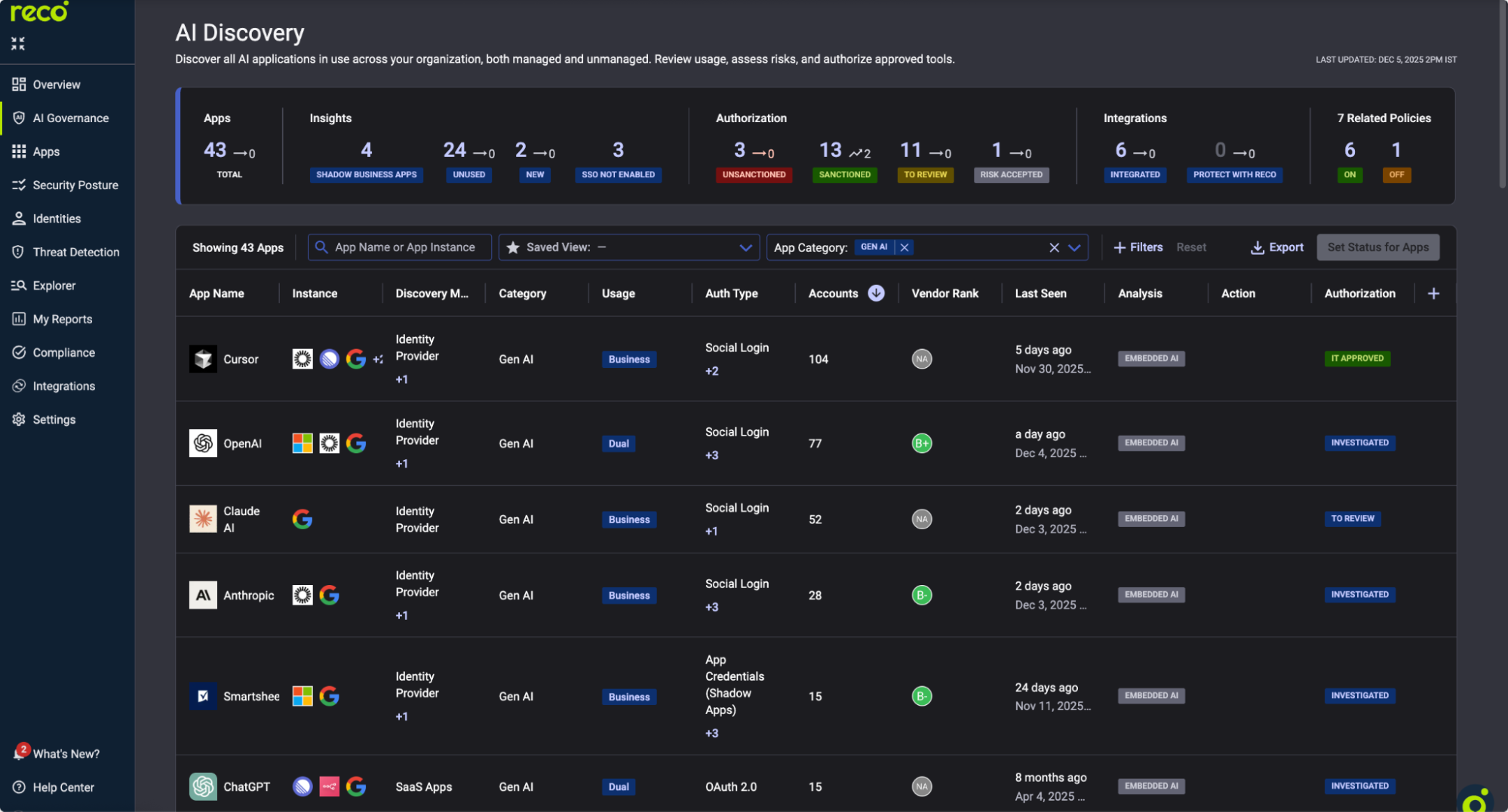
This view shows every AI application detected across your environment, including apps that employees connected to without approval.
For each AI app, note the Usage column. High-usage shadow AI tools need immediate attention.
Action: Export this list. Flag apps with "Unsanctioned" status for immediate policy creation.
AI-specific misconfigurations require AI-specific posture monitoring. Generic SaaS checks miss AI permission sprawl.
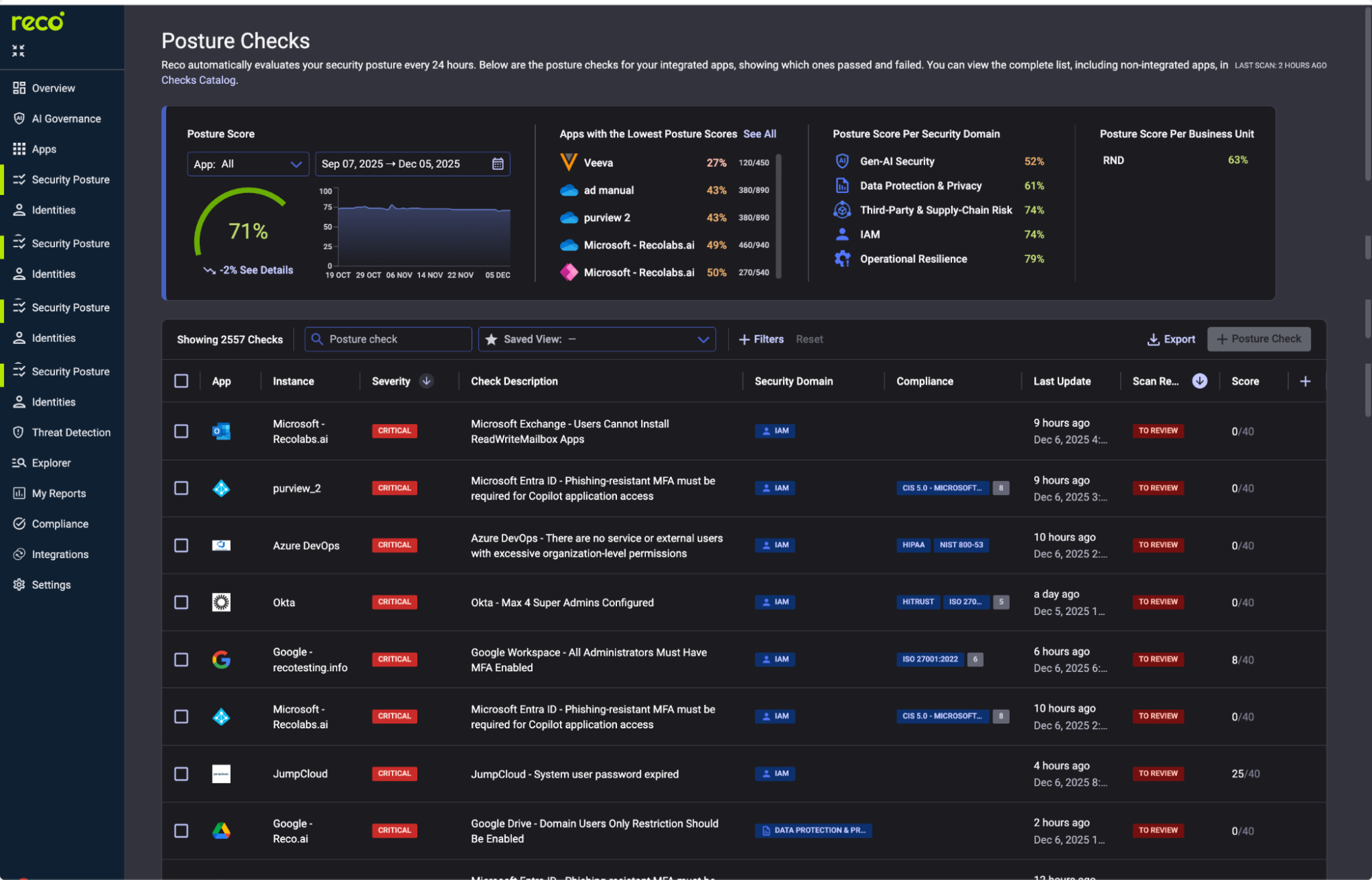
Critical checks to enable:
Click any check to see Impact, Remediation (step-by-step fix), and Related Compliance.
Action: Enable all CRITICAL and HIGH severity AI checks. Set notification preferences for failed scans.
Alert policies are only as good as their threat coverage. MITRE ATT&CK mapping shows gaps before attackers find them.
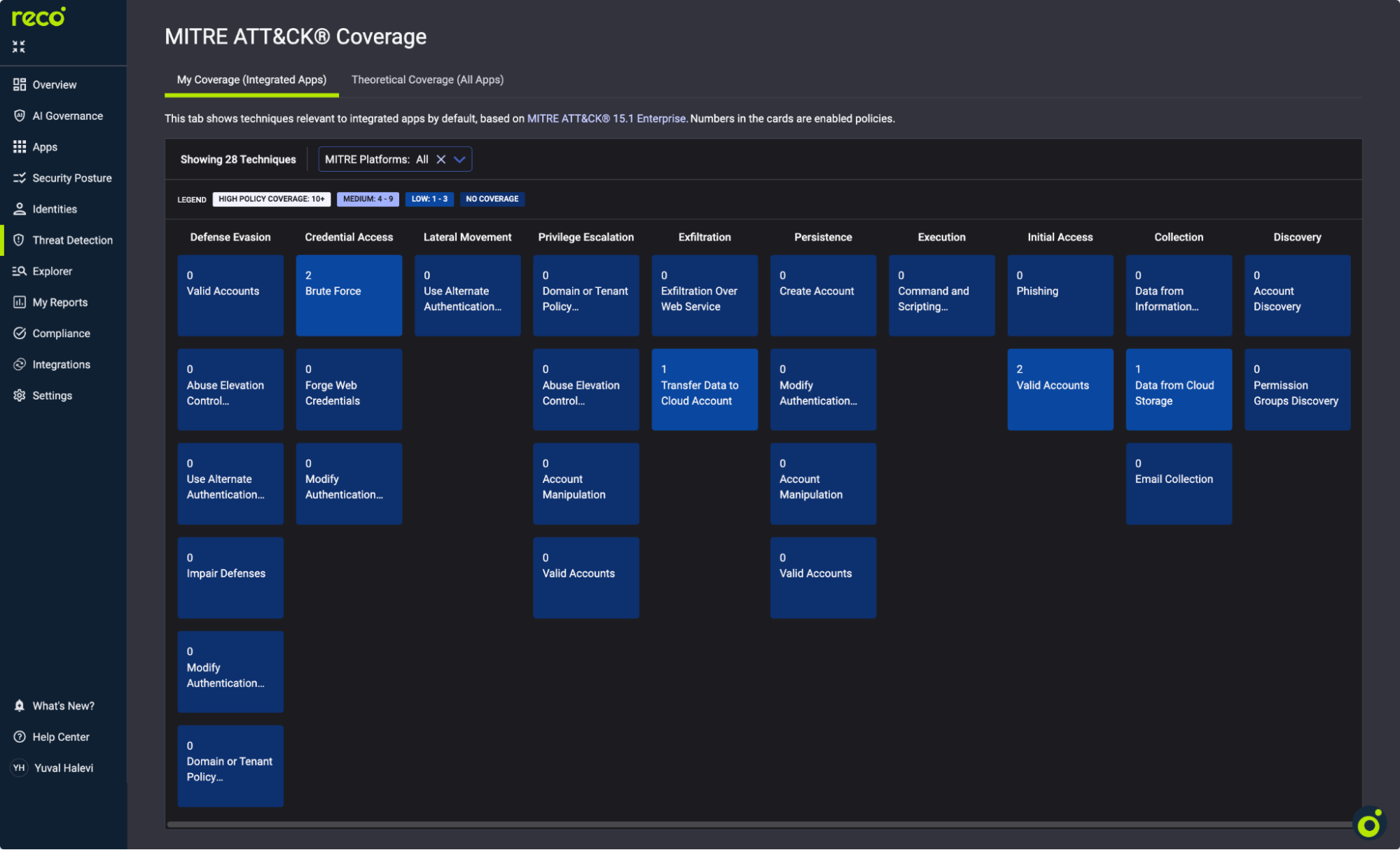
Focus on AI-relevant tactics:
Green cells indicate high policy coverage. Blue cells with "0" need attention.
Action: Review techniques with zero coverage. Prioritize Collection and Exfiltration tactics for AI environments.
The Policy Center is where monitoring becomes actionable. Reco provides 400+ pre-built policies.
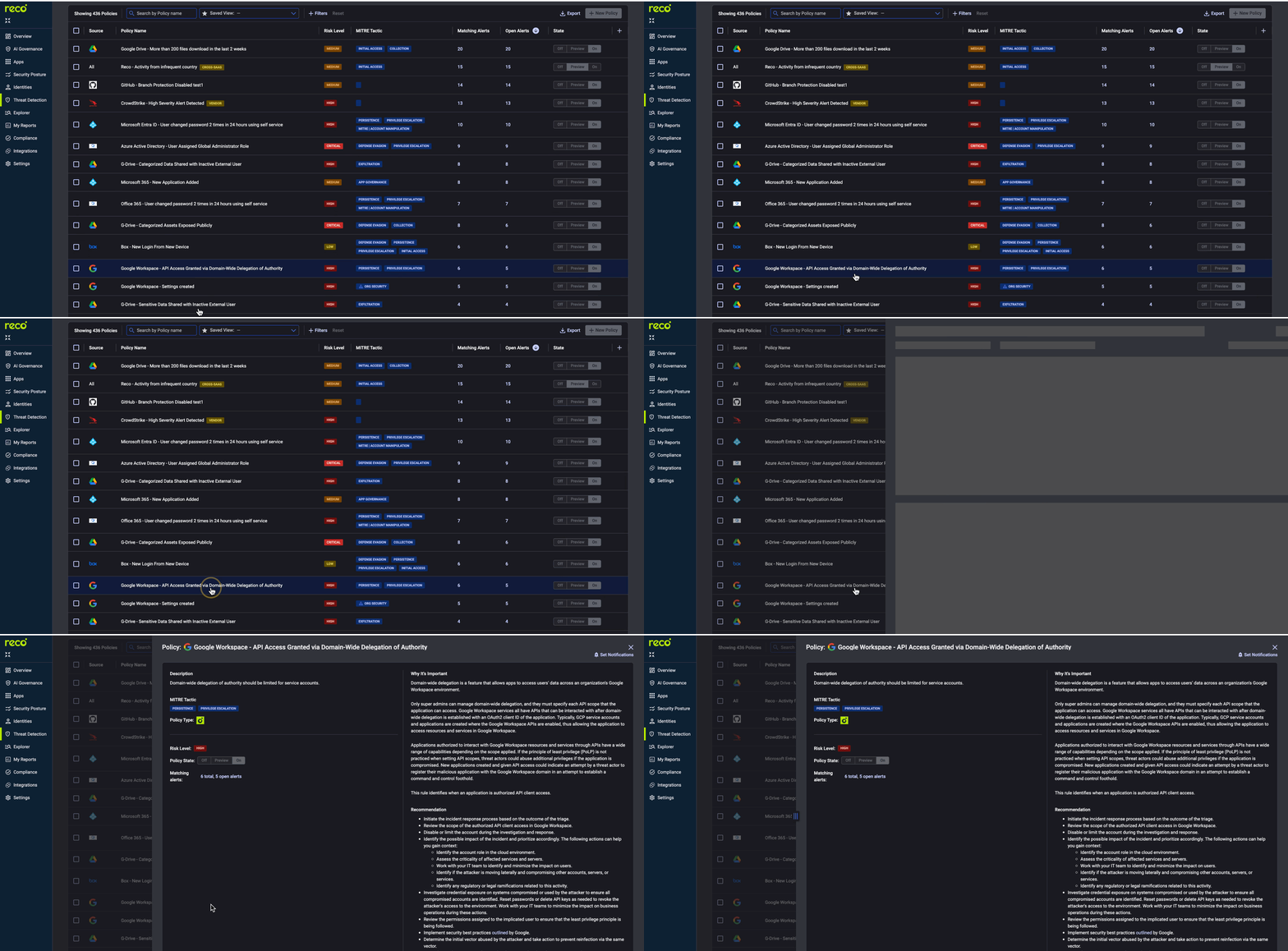
Key policies for AI monitoring:
For new deployments, set policies to Preview first. This generates alerts without notifications.
Alert fatigue kills monitoring programs. Exclusions suppress known-good activity without disabling detection.
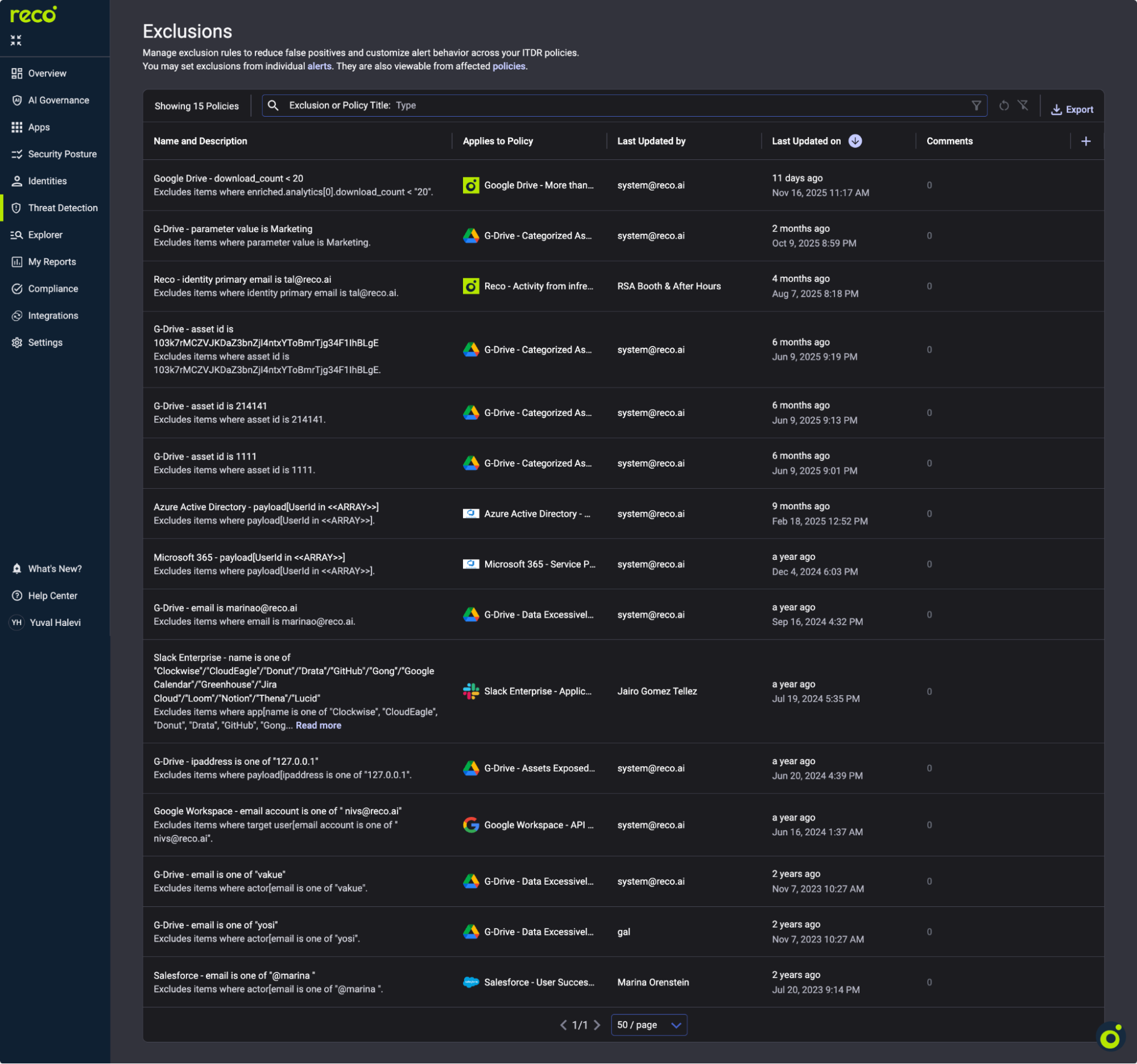
Warning: Over-exclusion creates blind spots. Review exclusions quarterly. Remove any that haven't matched in 90 days.
AI permissions expand silently. Scope monitoring catches this drift before it becomes exposure.
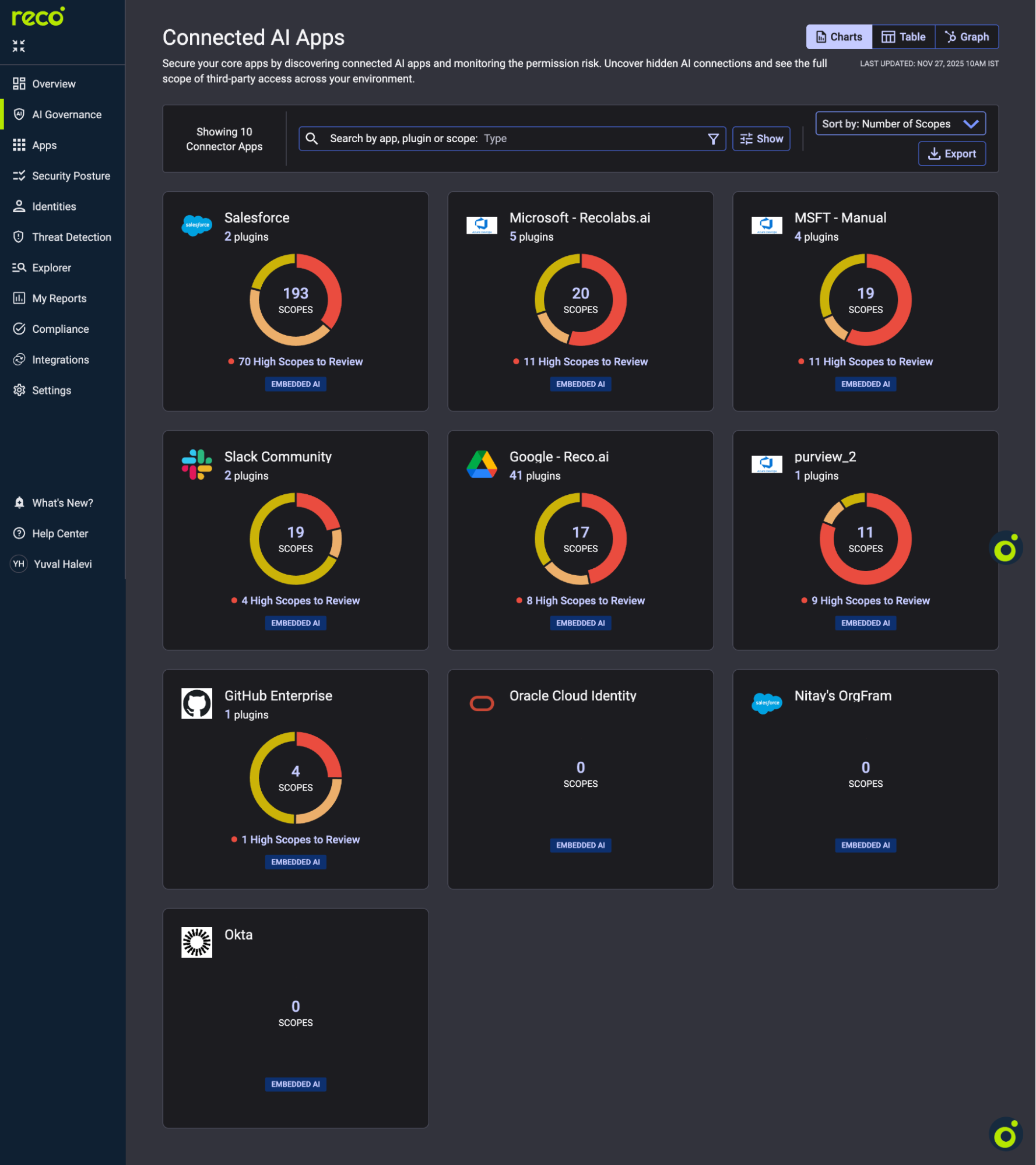
High Scopes to Review indicates excessive permissions. Click any app to drill into plugins. Flag high scope counts, recently added plugins, and unknown publishers.
When an alert fires, the Events log provides forensic detail: every user action, API call, and data access.
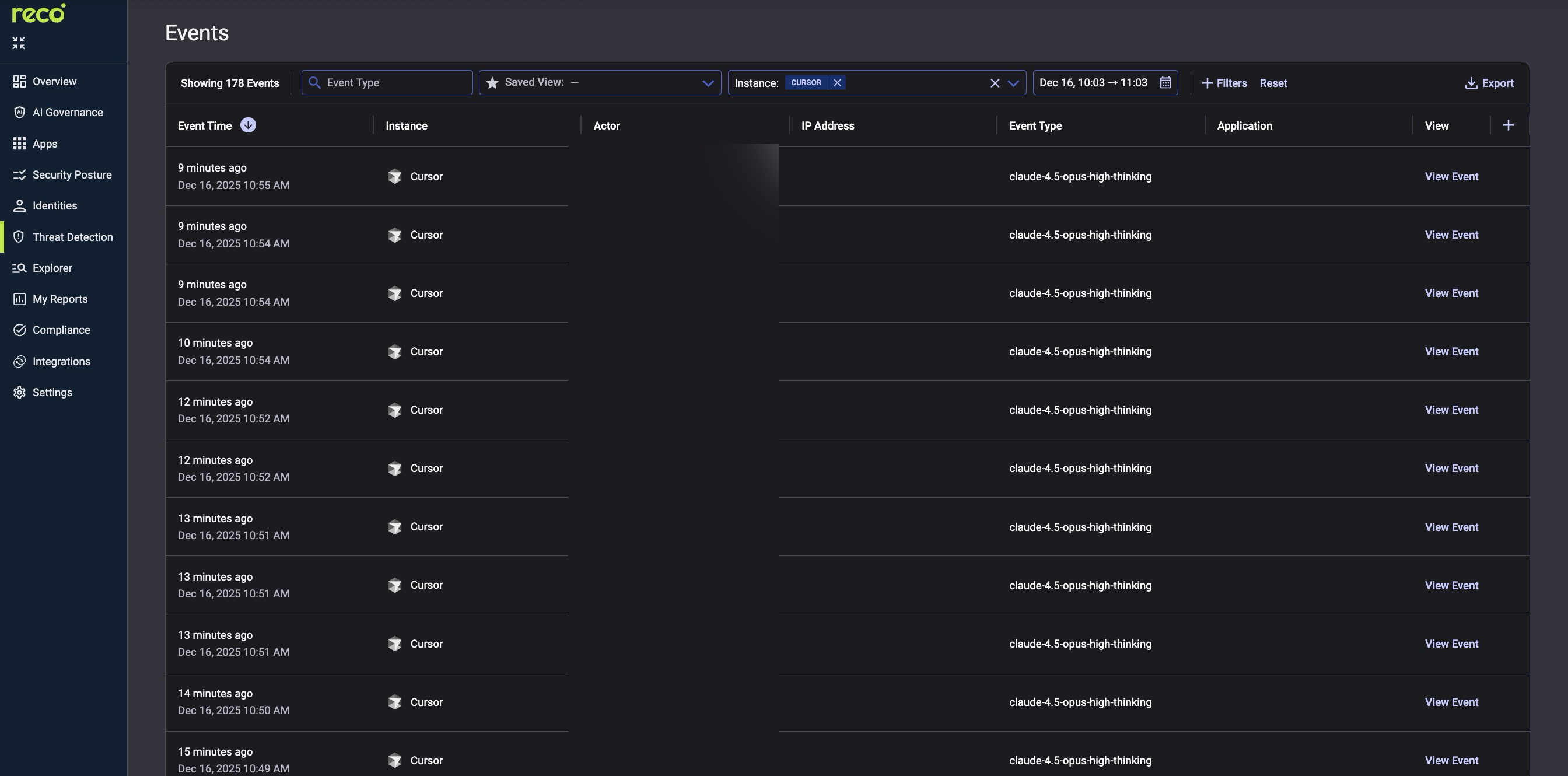
Filter by Event Time, Instance, and Actor to correlate AI alerts with user behavior patterns.
Building an effective AI monitoring stack means shifting focus from simply writing rules to achieving comprehensive visibility and context. Static alerts for sanctioned applications will inevitably fail against the dynamic threat of shadow AI, shifting scopes, and user-created agents.
The seven steps outlined in this guide provide a framework for proactive defense. By treating AI tools as privileged identities and monitoring their access scopes as they change, security teams can close the gap between policy and reality. A dynamic monitoring platform allows you to suppress noise from known-good activity while simultaneously catching the complex, unanticipated risks that emerge when AI touches sensitive data and identity privileges.
Reco provides the core engine for AI discovery, posture management, and identity-aware threat detection, ensuring you have the necessary context and technical foundation to manage AI risk, rather than simply reacting to alerts.
Start by prioritizing AI discovery over alert tuning so you can monitor behavior across known and unknown AI tools.
Learn more in Reco’s overview of Shadow AI discovery.
AI monitoring tracks availability and usage, while AI security monitoring detects identity, data, and access risks.
For a deeper breakdown, read CISO’s Guide to AI Security.
Reco continuously tracks changes to AI app scopes, plugins, and connected agents.
See how this works in practice with AI Agents for SaaS Security.
.svg)


.svg)


%201.svg)


.svg)