
Authorizing an AI tool through Google or Microsoft takes seconds. The OAuth grant may stay active long after the session ends, letting the app request new access tokens without another sign-in.
Risk can grow as tools add integrations, request broader scopes, and gain users. If an attacker steals a token, they inherit its access. In August 2025, stolen OAuth tokens from the Salesloft Drift integration exposed customer environments across more than 700 organizations, according to FINRA's alert on the incident.
This article explains how to use Reco to find connected AI apps, assess their scopes, choose the right response, complete revocation, and verify the result.
Use Reco's AI Discovery inventory to identify connected AI tools. It refreshes daily.
Navigate to Apps → AI Apps
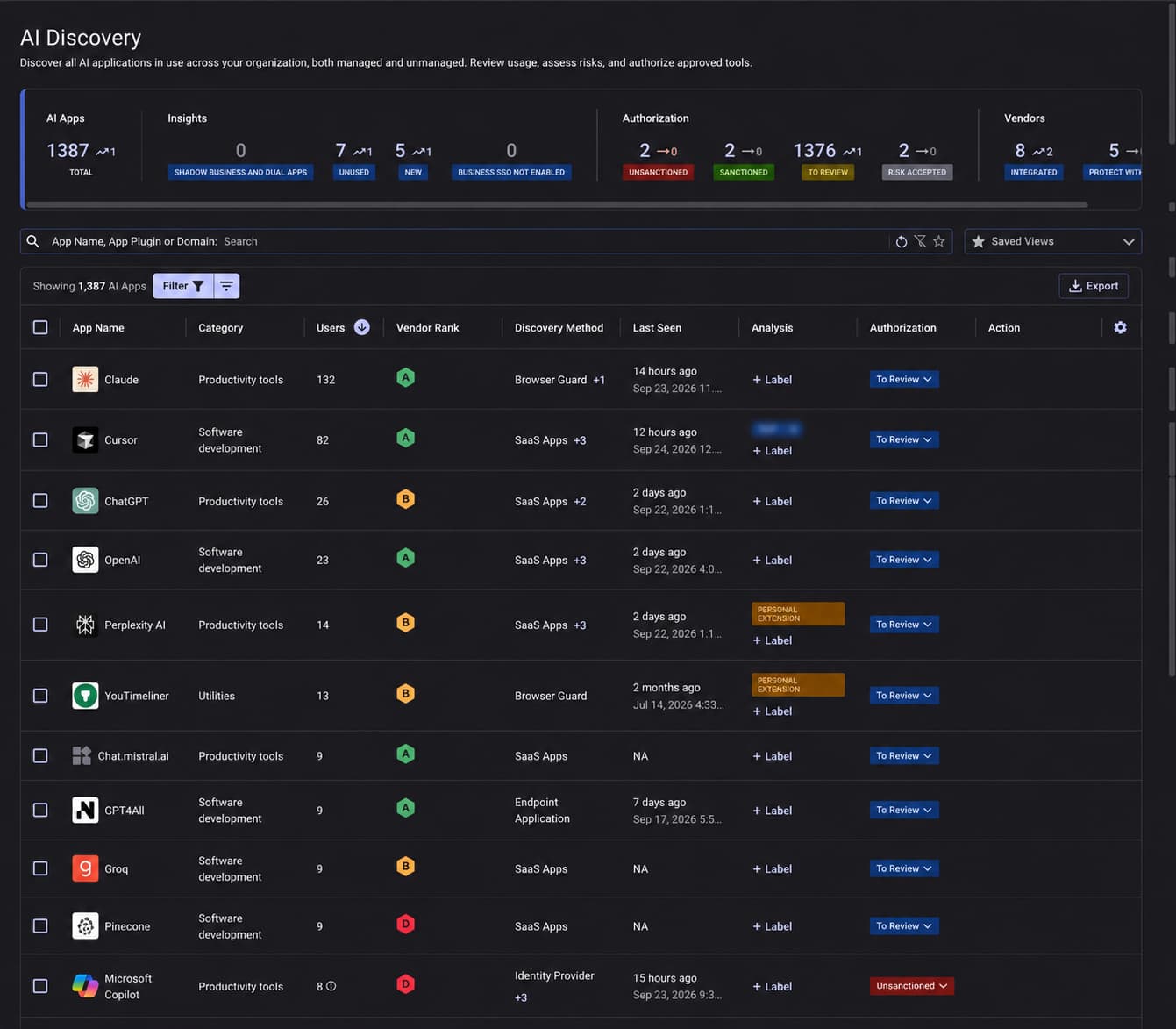
The page lists every AI app in use across the organization. Review Users, Discovery Method, and Authorization to see how widely each tool is used, how it was found, and whether it was approved.
For the complete discovery workflow, see Reco's guide to setting up AI Discovery.
Export the list and prioritize unsanctioned tools with broad adoption or OAuth access.
Navigate to Apps → SaaS-to-SaaS
Use Charts to scan high-risk scope counts, Table to compare apps and permissions, and Graph to trace connections between apps and plugins.
Prioritize sensitive data exposure and powerful permissions, not scope count alone.
Assess each scope's capabilities, data reach, persistence, and business purpose. Google scope names below are shortened except for the full-mail scope.
In Reco, search for an AI plugin in the Table view and group by Scope to see each permission it holds and what it allows.
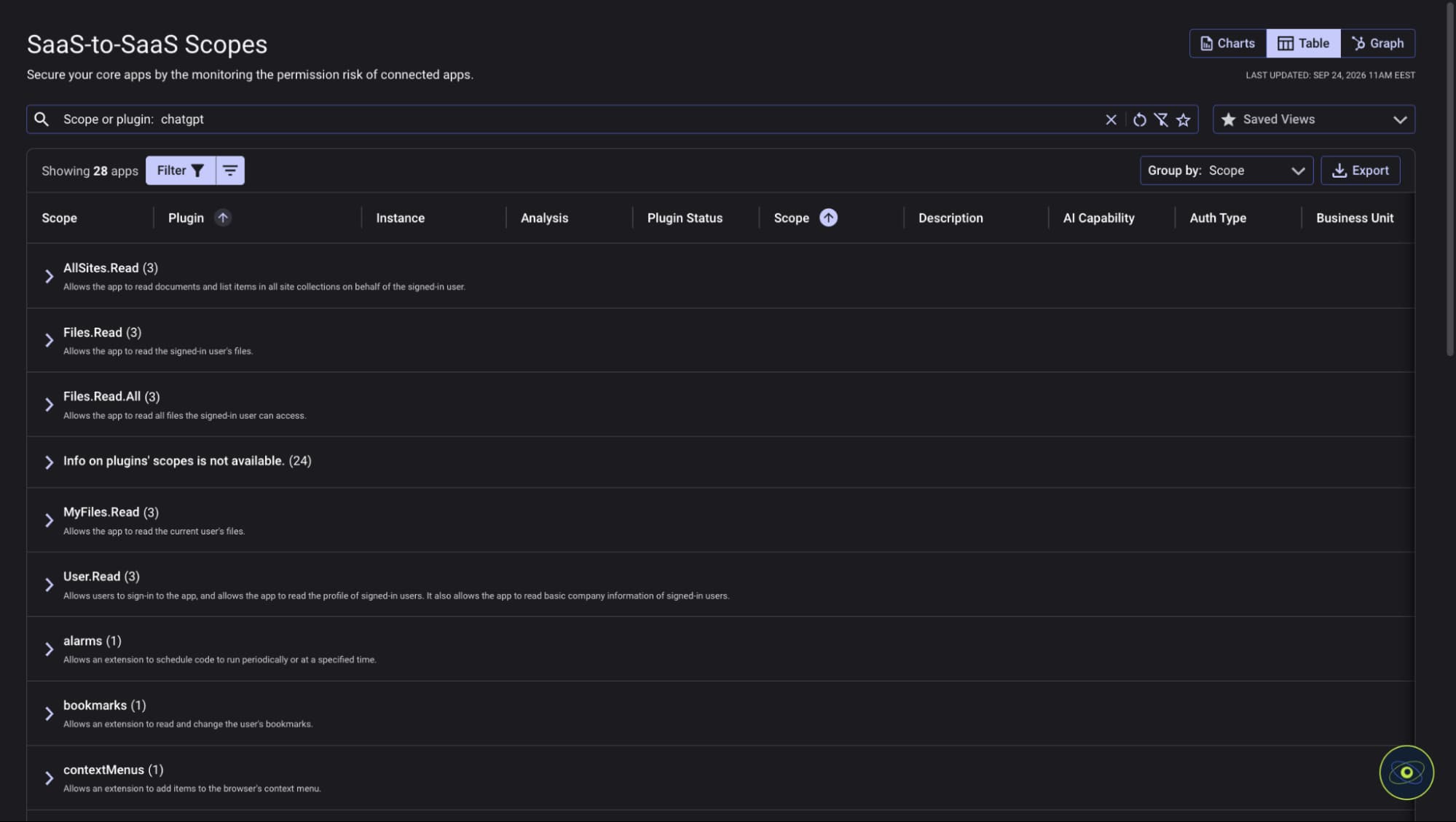
Read-only can still expose sensitive data. Check Google's Gmail and Drive scope references and Microsoft's offline_access documentation for exact capabilities.
Reco's AI Permission Sprawl Remediation distinguishes between permissions granted and actively used. An unused scope may be a strong candidate for removal.
Review the publisher, authorizing identity, plugins, data sources, approval status, and owner. Delegated permissions operate within the user's access; application permissions can operate without a signed-in user.
Cross-check owners against your offboarding workflow. OAuth grants and automated workflows can survive the departure of the employee who created them.
Some platforms cannot remove a single scope from an existing grant. Reduction may require changing the app's requested permissions, revoking the grant, and collecting fresh consent.
Before revoking, confirm the owner, dependent agents and workflows, and replacement credentials. Capture the app, OAuth client ID, authorizing identity, and scopes in Reco, then act in the source platform.
Google's Limited setting is not full revocation. In Entra, the portal revokes admin consent; use Microsoft Graph or PowerShell for user consent permissions.
Revocation should be paired with consent controls. Otherwise, a user may authorize the application again later.
Record the change and timestamp, then update the app's authorization status in Reco.
Previously issued access tokens may remain valid until expiry. Check post-change activity through the applicable token lifetime; a configuration change alone is not proof of access removal.
Use Reco's SaaS-to-SaaS view to review new plugins and permission changes across approved and unsanctioned apps. Test relevant detection policies in Preview before enabling them.
Use this schedule as a starting point; adjust it to data sensitivity and review material changes when they occur.
Use Reco to identify and assess AI app permissions, then remove unnecessary access at the source. Close each finding only after verification, and reopen the review when permissions or ownership change.
.svg)


.svg)


%201.svg)


.svg)