


An AI agent incident is any event in which an AI system with delegated access takes an action, or is induced into taking an action, that the organization did not intend. It might read a mailbox it should not have reached, send something on a person's behalf, share a file externally, or write to a production system because a line of text it processed told it to.
Most incident response plans assume the actor is either a person or malware, operating on infrastructure the organization controls. An AI agent complicates that model. It operates through delegated or machine credentials, often within vendor infrastructure, and its actions can closely resemble legitimate authorized activity because they may be performed through valid identities and granted permissions.
This runbook covers what actually changes, and what to do in the first week.
Start with the actor. In a conventional intrusion, you are chasing someone who wants something. With an AI agent, the action may have come from a user's legitimate instruction, from a prompt embedded in a document or a calendar invite the agent processed, or from a compromised token being used by someone else entirely. At the application audit-log layer, all three can look like legitimate, authorized activity. Attribution, normally step one, becomes something you resolve late rather than early.
Then the credential. Agents authenticate through OAuth grants, service principals, workload identities, API keys, certificates, service accounts, or a borrowed user session, and in many of those cases resetting a password or re-enrolling MFA will not invalidate what the agent is actually using. Credentials can be long-lived and often belong to no human at all. Disabling the person who installed the integration does not reliably stop it.
Then the evidence. In many vendor-hosted agent incidents, there is no endpoint or disk you control to image. The useful evidence is distributed across identity-provider, application, and vendor logs that you can query but do not own, with retention windows that may be shorter than your investigation.
And then ownership, which causes more delay in practice than the technical differences. A laptop has an owner in an asset register. An AI agent connected through a consent screen may effectively be owned by whoever clicked Allow, who may sit in a different department, may not know they own anything, and may be on vacation.
Note: NIST SP 800-61 Revision 3, finalized in April 2025, superseded Revision 2 and integrates incident response guidance across the CSF 2.0 functions. That framing suits agent incidents well, because so much of the work sits in preparation and recovery rather than in the containment window itself.
The sequence below assumes an alert has fired or someone has reported behavior they did not expect. Timings are targets, not guarantees, and the containment step is the one worth rehearsing.
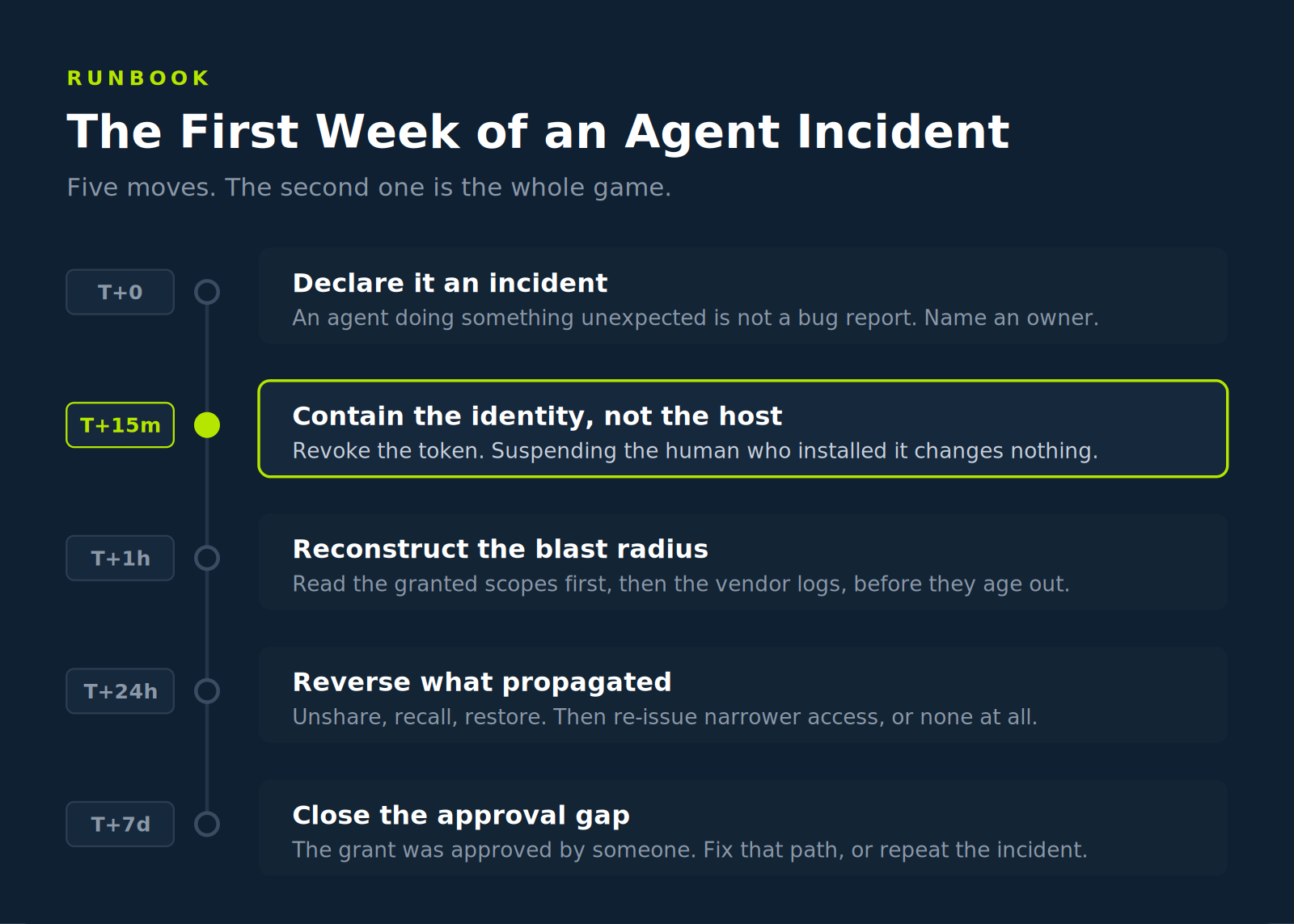
The most common failure at this stage is a category error. An agent behaving unexpectedly gets filed as a product bug, routed to whoever owns the tool, and sits in a queue while access remains live. Anything involving an AI system taking an unintended action against organizational data should be treated as a security incident until proven otherwise.
Declare it, name an incident owner from the security team rather than the tool owner, and open the record. Note the time you first observed the behavior, not the time you started responding, because reconstructing what happened before that point is much of the work ahead.
Assign severity early, because it determines whether the containment decision below is yours to deliberate over or already made:
This is the step where conventional instinct actively misleads. There may be no endpoint to pull off the network. The equivalent move is to cut the agent's authorization, and there are usually three levers, in descending order of speed:
Revoke or disable the credential itself, whether that is an OAuth grant, a service principal, a workload identity, an API key, or a certificate, at the identity provider or in the application admin console. This is typically the fastest and most surgical option. Verify that it took effect, since refresh tokens and cached sessions can survive incomplete revocation, allowing access to resume.
Disable the integration at the application level if the agent connects through a marketplace app or plugin. This is broader and affects every user of that integration, which may be the right trade during an active incident.
Suspend the underlying account only if the agent operates through a service account or a human account you can afford to lock. This is the blunt option and is often mistakenly reached for first.
Warning: Default to immediate containment when the agent is exposing sensitive data, sharing externally, performing privileged writes, or still propagating actions. Capture grant details, screenshots, timestamps, and available logs first only if doing so does not materially increase risk. A delayed revoke should be an explicit incident commander decision, time-boxed, documented, and used only when evidence cannot be preserved another way.
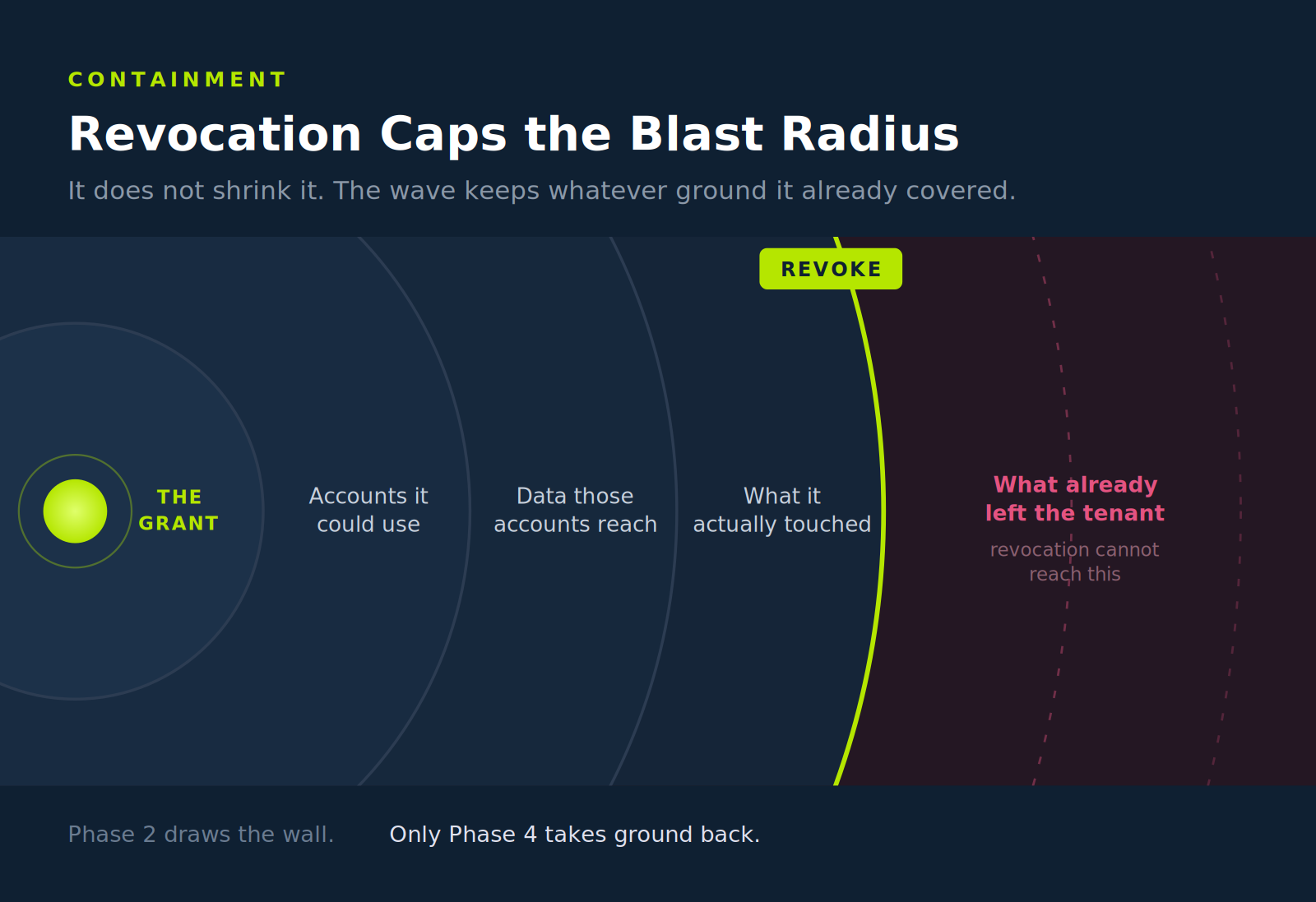
Be clear about what revocation buys. It stops the blast radius from growing. It does not retrieve a file already shared externally, unsend a message, or pull back text already submitted to a model provider. That work belongs to Phase 4, and it is slower and less complete than anyone would like.
Containment is also where you decide whether this is one agent or a broader class of exposure. If the same integration is installed across 40 accounts, revoking one grant addresses one incident and leaves 39 identical exposures running.
With a compromised endpoint, you ask what the machine could reach. With an agent, you ask what its permissions allowed, and the answer is often captured in its granted scopes and permissions. Read those before you read anything else. They are the fastest available indicator of the upper bound of exposure, and they are often available immediately.
Navigate to AI Agent Security
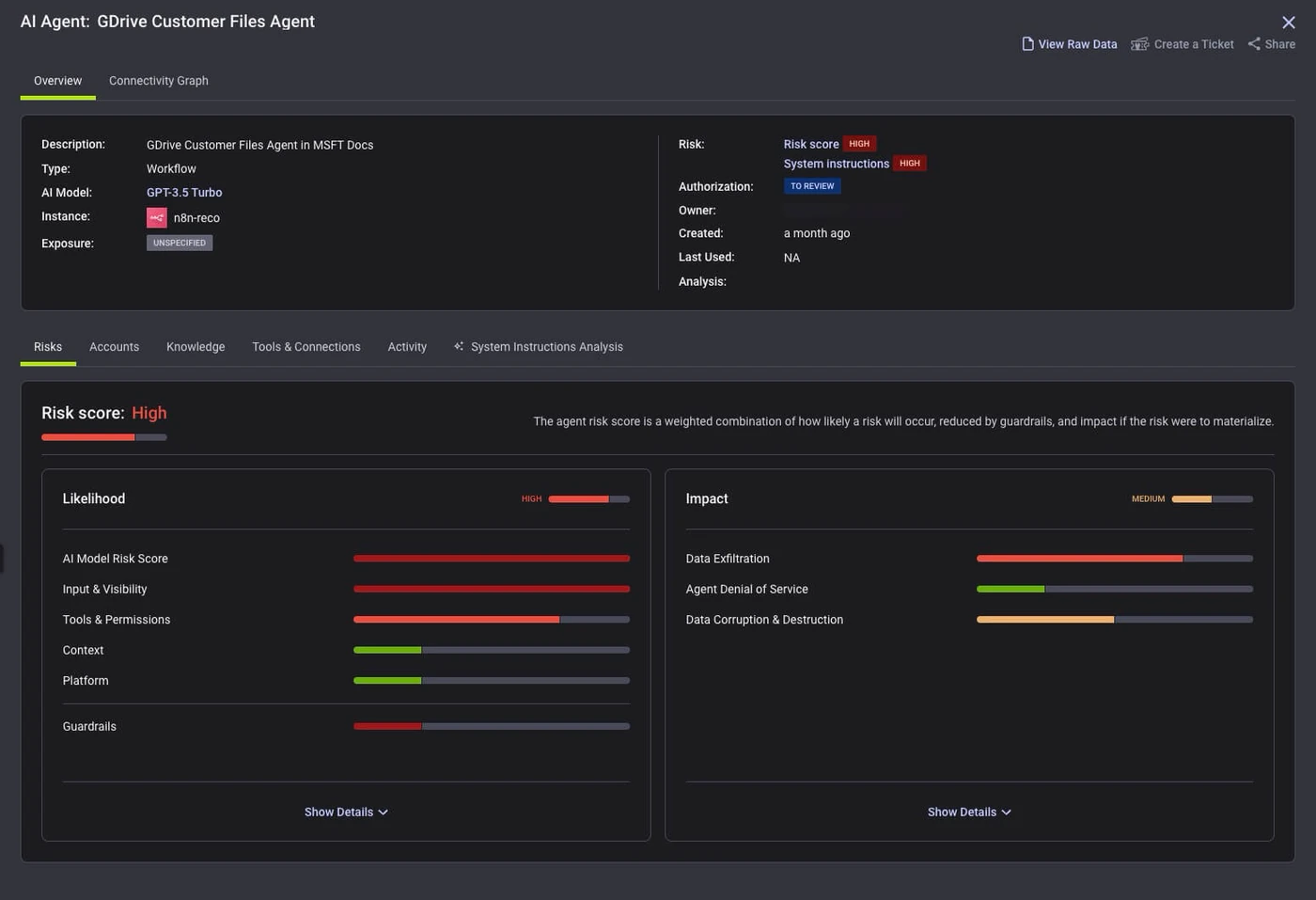
Work outward in this order: what scopes were granted, which accounts the agent was connected to, what data those accounts can reach, and finally what the agent actually did. The first three are primarily configuration questions. The fourth requires activity and audit-log analysis, and by then you have bounded the search.
This is where the preparation gap shows. Teams that already hold an inventory of agents, granted permissions, and connected identities can answer the first three questions within an hour. Teams that start querying vendor APIs mid-incident are negotiating retention limits under time pressure. Reco continuously inventories discovered agents, connected identities, authorization status, and permission context, which turns the initial blast radius assessment into a scoped lookup. Source system audit logs still establish what the agent actually did.
Action: After emergency containment, export the granted scopes and connected-account list before making further configuration changes. They are core inputs to assessing notification obligations, alongside activity logs, affected data, access evidence, and applicable legal requirements.
Eradication for an agent incident means reversing propagation rather than removing an implant. If the agent shared files, unshare them and check whether external parties accessed them first. If it sent messages, recall what can be recalled and notify recipients about what cannot. If it wrote to systems of record, identify the writes and restore or reverse them where possible.
Recovery is a permissions decision, not a rebuild. The agent comes back with narrower scopes, with an owner recorded, and with monitoring attached, or it does not come back. A reinstated integration with the same permissions that contributed to the incident is not recovery.
Then close the loop, which for agent incidents often leads to the same place. Someone approved the access. Sometimes that someone was an employee clicking through a consent screen with no review step behind it. When that is what happens, the corrective action belongs to the approval path rather than the agent, because the next integration will arrive through the same unreviewed door.
Most of the above is work for the responders. Four questions sit above it, and they are the ones a CISO gets asked in the hour after an incident becomes visible, usually by someone who does not want a technical answer.
None of these require an incident to answer, and each one is cheaper to fix before an incident than during one. The first two are inventory questions, the third is a drill, and the fourth is usually a procurement conversation about vendor log retention.
Response speed on agent incidents is determined largely by preparation, because the hard parts (who owns this, what could it reach, where are the logs) are questions with pre-existing answers or no answers at all.
Six things belong in the runbook before you need it:
None of this requires a fundamentally new response discipline. It is the same preparation discipline any mature response function already applies to endpoints and cloud accounts, pointed at a category of identity most organizations have not yet inventoried. The agents are already installed. The runbook is the part that is missing.

%201.svg)
Gal is the Cofounder & CPO of Reco. Gal is a former Lieutenant Colonel in the Israeli Prime Minister's Office. He is a tech enthusiast, with a background of Security Researcher and Hacker. Gal has led teams in multiple cybersecurity areas with an expertise in the human element.


%201.svg)


.svg)