

RAG Poisoning: What It Is, How It Works, and How to Defend Against It


What Is RAG Poisoning?
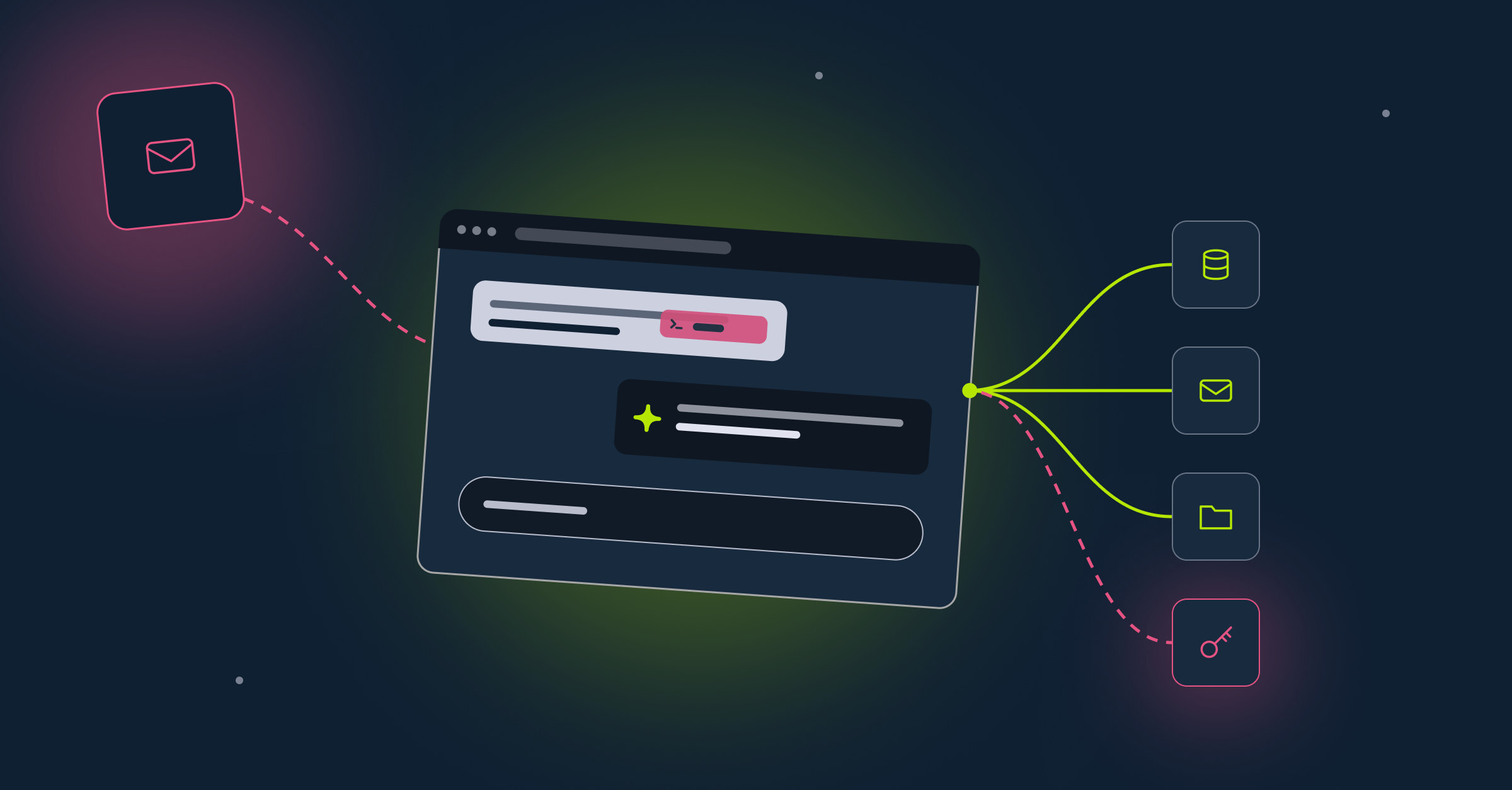
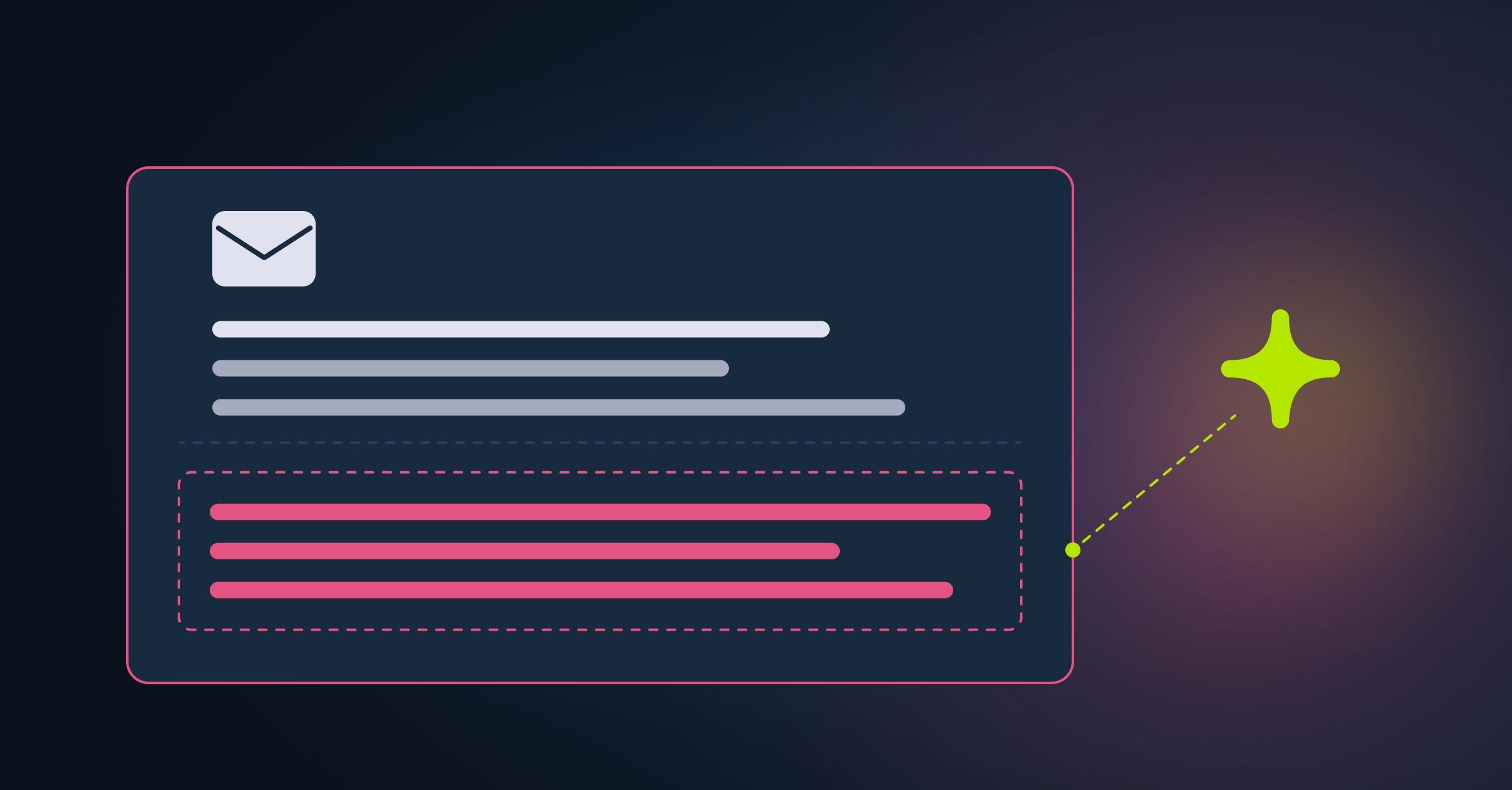
RAG poisoning is an attack in which an adversary adds or alters malicious or misleading content in a source that a retrieval-augmented generation (RAG) system uses. If the system retrieves that content for a query, it enters the context of the large language model (LLM) and may influence the response, either by steering it toward false information or by exposing the model to instructions embedded in the retrieved text. The attack targets the information supplied to the model, so it does not require access to the model’s weights or direct control of its prompts. The attacker instead needs a way to influence a source or ingestion process the RAG system relies on.
RAG Poisoning vs. Prompt Injection
RAG poisoning targets the content a retrieval system can surface, while prompt injection targets how a model responds to malicious instructions in content it processes. The two can overlap, since a poisoned RAG document may contain false claims, instructions, or both.
Why RAG Poisoning Is a Critical Enterprise Risk
Enterprise copilots and AI search tools can retrieve documents from company repositories to ground their answers. When an attacker can add or alter content in a connected source, or influence the ingestion process, that content may become a route for misinformation or indirect prompt injection.
- RAG Can Pass Untrusted Content Into Model Context: Many RAG applications use retrieved passages as context for the model. If the application doesn’t establish trust boundaries around that material, malicious instructions may be processed alongside the user’s request, and the risk depends on the controls in place.
- Enterprise Assistants Retrieve From Shared Data Sources: Microsoft’s Copilot Retrieval API, for example, returns relevant text from SharePoint, OneDrive, and Copilot connectors for generative AI applications to use as grounding context. Users and connected systems with write access may add or update content in those sources.
- Poisoned Content Can Outlast Changes to the Source: Correcting or deleting the original document may not remove copies already held in indexes or caches, so teams need to propagate changes through the retrieval pipeline and invalidate affected caches.
- Conventional Controls May Miss Malicious Retrieved Content: If an ingestion pipeline accepts a poisoned document, ordinary retrieval may return it alongside legitimate content. Pattern filters may miss some attacks, especially when instructions are hidden in text that doesn’t appear in normal rendering or encoded with invisible Unicode characters.
How RAG Poisoning Works: Step by Step
A RAG poisoning attack follows the same path legitimate content takes, from the source into the model’s context. Each step below depends on the one before it, which is also why each step is a point where defenders can break the chain.
- Attacker Identifies a Data Source the RAG System Uses: The attacker looks for a source the system ingests or retrieves from and that they can influence, such as a shared knowledge base where users can upload documents, an external site the pipeline crawls, or a third-party connector feeding the ingestion process.
- Malicious Document Inserted Into the Knowledge Base: The attacker adds a new document or alters an existing one, writing it so it closely matches the queries they want to target and carries false information, hidden instructions, or both. In the PoisonedRAG study, injecting 5 crafted texts per target question into a knowledge database with millions of texts achieved a 90% attack success rate under the tested conditions.
- RAG Retrieves the Poisoned Document Into Model Context: When a user asks a related question, the retriever may rank the poisoned content as relevant and pass it to the model alongside legitimate results. Unless separate controls detect or quarantine it, the retrieval process itself doesn’t establish that the content is malicious.
- Model May Follow Embedded Instructions or Return Manipulated Answers: Depending on the model and the controls in place, the response may repeat the attacker’s false information or act on the hidden instructions. In agentic systems, this may trigger tool calls or other actions if the agent has access to those tools and safeguards don’t stop them.
Types of RAG Poisoning Attacks
Some of these are poisoning patterns in their own right, while others describe the weakness, delivery path, or persistence that makes poisoning more damaging. Real attacks often combine several of them.
Where Enterprises Are Most Exposed
Exposure to RAG poisoning rises wherever an attacker can influence content that a RAG system may retrieve. The four scenarios below show where that opening can arise.
- Internal Assistants With Broad Access to SharePoint and Confluence: Shared repositories can be high-risk when many users or systems can upload or edit documents, since any of them could introduce poisoned content. If access controls aren’t enforced at retrieval time, a broadly connected assistant can also surface material the requesting user shouldn’t see.
- Customer-Facing Tools Retrieving From Product Knowledge Bases: A poisoned help article or FAQ entry can put false information in front of customers, such as a replaced support contact. The answer may appear authoritative because it comes from the company’s own tool.
- Agents Using MCP Connections That Return Untrusted Content: When the host passes tool responses into the model’s context, instructions in those responses may function as indirect prompt injection if the model processes them as instructions. The risk grows with the agent’s tool permissions, especially when sensitive actions don’t require separate authorization or confirmation.
- RAG Pipelines Ingesting External Sources Without Validation: Pipelines that auto-sync from web scrapers, third-party APIs, or connectors can carry poisoned content into the corpus when ingestion controls fail. Validating external data before ingestion and vetting the connectors that feed the pipeline reduce that risk.
How Security Teams Block RAG Poisoning Before It Reaches the Model
Most of the controls below stop poisoned content before it enters the corpus or the model’s context, while the rest limit the damage and speed up response if something slips through. No single control is sufficient, so teams layer them across ingestion, retrieval, and output.
- Validate Content Before It Enters the Knowledge Base: Record who added each document, when, from what source, and with what approval, and scan new content for injection markers, hidden text, and invisible Unicode characters before ingestion. A signed hash manifest can confirm a document hasn’t changed since approval, although a matching hash proves consistency with the baseline, not that the content is safe.
- Apply Least-Privilege to What Each RAG Agent Can Retrieve: Carry access control metadata down to every chunk and enforce it at retrieval time, not only at ingestion, since permissions change after documents are indexed. Separate namespaces or collections per tenant or classification level, and give ingestion connectors read access only to the folders they need.
- Monitor Retrieval Patterns for Poisoned Context: Alert on unusual retrieval behavior, such as sudden shifts in which documents get retrieved or unexpected growth in the index. A document that ranks highly across many unrelated queries may have been crafted to hijack retrieval and is worth reviewing.
- Treat Every External Source as Untrusted Until Verified: Approve sources before they join the pipeline, vet the connectors that feed it, and stage external content for review instead of auto-syncing it straight into the vector store. Because an approved source can still be compromised, keep scanning its content and instruct the model to treat retrieved material as data, not instructions.
- Restrict Markdown Image Rendering by Domain: Injected instructions can lead a model to output a Markdown image whose URL encodes sensitive data it has access to, and a client that loads external images automatically sends that data to the attacker’s server. Rendering images only from strictly allowlisted, trusted domains or disabling external images in model output closes that channel.
- Audit Knowledge Base Content for Persistent Poisoning: Periodically compare stored content against the approved baseline and check the index for orphaned chunks whose source documents no longer exist. When poisoned content is found, remove it from sources, indexes, and embeddings, invalidate affected caches, and keep index snapshots so you can roll back.
- Log All Retrieval Events for Forensic Investigation: Trace each request with correlation IDs, retrieved document IDs, authorization decisions, model versions, and tool outcomes, so investigators can identify which users received responses built from poisoned content. Avoid logging raw queries and retrieved content by default, since they may contain secrets or personal data, and capture only what an investigation needs in a restricted evidence store.

Dr. Tal Shapira
Cofounder & CTO at Reco

Tal is the Cofounder & CTO of Reco. Tal has a Ph.D. from Tel Aviv University with a focus on deep learning, computer networks, and cybersecurity and he is the former head of the cybersecurity R&D group within the Israeli Prime Minister's Office. Tal is a member of the AI Controls Security Working Group with CSA.

Expert Insight: Testing Your Knowledge Sources for RAG Poisoning
In my experience, most teams carefully control who can read the sources their agents retrieve from and overlook who can write to them. A few habits close that gap:
- Map Write Access, Not Just Read Access: List every user, service account, and connector that can edit a source feeding an agent, because each one is a potential insertion point.
- Plant Canary Documents: Add a harmless test document with a unique phrase to each connected source, then query your assistants to confirm it surfaces only for users who should see it.
- Watch New Content That Ranks Fast: Review documents that start appearing in answers soon after they’re created or edited, especially for high-value queries.
- Rehearse the Cleanup: Practice removing a document from the source, index, and caches so you know every copy is truly gone.
Key Takeaway: Treat write access to your knowledge base like write access to production code.
How Reco Helps Security Teams Contain RAG Poisoning Across the Agent Ecosystem
The damage a RAG poisoning attack can do depends on what the affected agents and identities can reach, and on how quickly unusual activity gets caught. Reco gives security teams control over both, securing the identities, access, and agents that surround enterprise retrieval workflows.
- Discovers Agents and Their Connections: Reco’s discovery of agents, shadow AI tools, and their connections runs continuously, tracking every agent along with its users and data, plus the OAuth apps and third-party integrations it relies on. As teams adopt new tools, Reco Factory extends that visibility to them, so no new agent stays out of view for long.
- Maps Agent Relationships and Data Exposure: Reco Graph connects agents, identities, and data flows across connected applications, giving teams the context to see where risk concentrates. Data exposure mapping ties every file to its access controls and sharing settings, so overexposed content in sources such as SharePoint and Google Drive gets flagged and fixed before an attacker finds it.
- Detects Identity and Access Anomalies: Reco builds behavioral baselines for each user and role and flags access to data outside normal patterns, backed by 400+ prebuilt detection rules. Identity threat detection and response feeds those alerts straight into existing SIEM and SOAR workflows, and teams can revoke privileges or trigger step-up authentication the moment a threat is confirmed.
- Enforces Least-Privilege Access Across Connected Applications: The Identity Context Agent continuously analyzes identity behavior and surfaces excessive privileges and dormant accounts. Least-privilege access governance cuts access down to what each identity needs, shrinking the blast radius of any attack that exploits overbroad permissions.
Conclusion
For years, a wrong page in the company wiki was a minor annoyance. Someone noticed, fixed it, and moved on. RAG changes that, because the same page can now be repeated to anyone who asks as if it were reliable.
So before connecting any repository, two questions matter. Who stands behind its contents, and who gets the call when the assistant gets it wrong? Every connected source needs a named owner, a review process, and a way to trace each answer back to the documents behind it. That work spans security, IT, and the people who write the content, and it’s what keeps an AI assistant answerable to the company it speaks for.
FAQs
What is the difference between RAG poisoning and traditional data poisoning?
Traditional data poisoning usually refers to corrupting the data a model learns from during training or fine-tuning, which changes the model itself. RAG poisoning leaves the model untouched and corrupts the external content it retrieves when answering a query, although the two categories can overlap when poisoned data enters an embedding pipeline.
- Target: Training data versus the knowledge base, retrieval corpus, or ingestion pipeline.
- Timing: Takes effect when the model is trained versus when poisoned content is retrieved.
- Access Needed: Influence over a training pipeline versus write access to a source the RAG system uses.
- Remediation: Often requires retraining versus removing the content from sources, indexes, and caches.
How does RAG poisoning relate to the OWASP Top 10 for LLM Applications?
RAG poisoning maps most directly to LLM08:2025 Vector and Embedding Weaknesses, which covers poisoning of the knowledge sources behind RAG systems. It also overlaps with two other entries.
- LLM04:2025 Data and Model Poisoning: Covers manipulation of pre-training, fine-tuning, and embedding data, so it applies when poisoned content enters the embedding pipeline.
- LLM01:2025 Prompt Injection: Applies when a poisoned document carries instructions that act as indirect prompt injection.
- LLM08 Recommendations: Include permission-aware vector stores and regular integrity audits of the knowledge base.
Why is RAG poisoning harder to detect than standard prompt injection attacks?
Compared with direct prompt injection, which arrives in the user’s input and can be inspected at the point of entry, RAG poisoning travels through the same authorized retrieval path as legitimate content. Indirect prompt injection can share some of these traits, but RAG poisoning adds challenges of its own.
- No Instruction Pattern: Poisoned content that contains only false information gives prompt-injection filters nothing to catch.
- Delayed Trigger: Poisoned content can wait in a knowledge base until a matching query retrieves it.
- Separated Actors: The person who planted the content is usually not the user whose query triggers it.
- Concealed Text: Instructions may be hidden in text that doesn’t appear in normal rendering or in invisible Unicode characters.
How does Reco help security teams detect RAG poisoning across enterprise AI deployments?
Reco focuses on the identities, access, and agent activity surrounding enterprise retrieval workflows, where the signs of an attack often surface first. Its identity threat detection and response capabilities help teams spot and act on that activity quickly.
- Agent Discovery: Continuous discovery of agents and shadow AI tools tracks every agent along with the integrations it relies on.
- Behavioral Baselines: Flags access to data outside normal patterns for each user and role.
- 400+ Detection Rules: Covers threats such as account compromise, privilege escalation, and data exfiltration.
- Automated Response: Feeds alerts into SIEM and SOAR workflows and can revoke privileges or trigger step-up authentication.
How can Reco reduce the blast radius of a RAG poisoning attack targeting internal AI assistants?
The damage a poisoning attack can do depends on what the affected assistant and the identities behind it can reach. Reco’s least-privilege access governance shrinks that reach across connected applications.
- Excessive Privileges: The Identity Context Agent surfaces over-privileged and dormant accounts.
- Least-Privilege Enforcement: Cuts access down to what each identity needs.
- Overexposed Content: Data exposure management flags files shared too broadly, limiting what a compromised assistant can surface.
- Fast Remediation: Teams can revoke excessive permissions and update sharing settings through existing tools.

Gal Nakash
%201.svg)
ABOUT THE AUTHOR
Gal is the Cofounder & CPO of Reco. Gal is a former Lieutenant Colonel in the Israeli Prime Minister's Office. He is a tech enthusiast, with a background of Security Researcher and Hacker. Gal has led teams in multiple cybersecurity areas with an expertise in the human element.
Gal is the Cofounder & CPO of Reco. Gal is a former Lieutenant Colonel in the Israeli Prime Minister's Office. He is a tech enthusiast, with a background of Security Researcher and Hacker. Gal has led teams in multiple cybersecurity areas with an expertise in the human element.


.png)
